

Why Your Website's Performance Starts with One Critical Decision
Hosting performance is the foundation that determines whether your website loads in under a second or frustrates visitors into clicking away.
In simple terms, hosting performance describes how quickly and reliably your server responds when someone visits your site. It is made up of several core elements that work together every time a page loads.
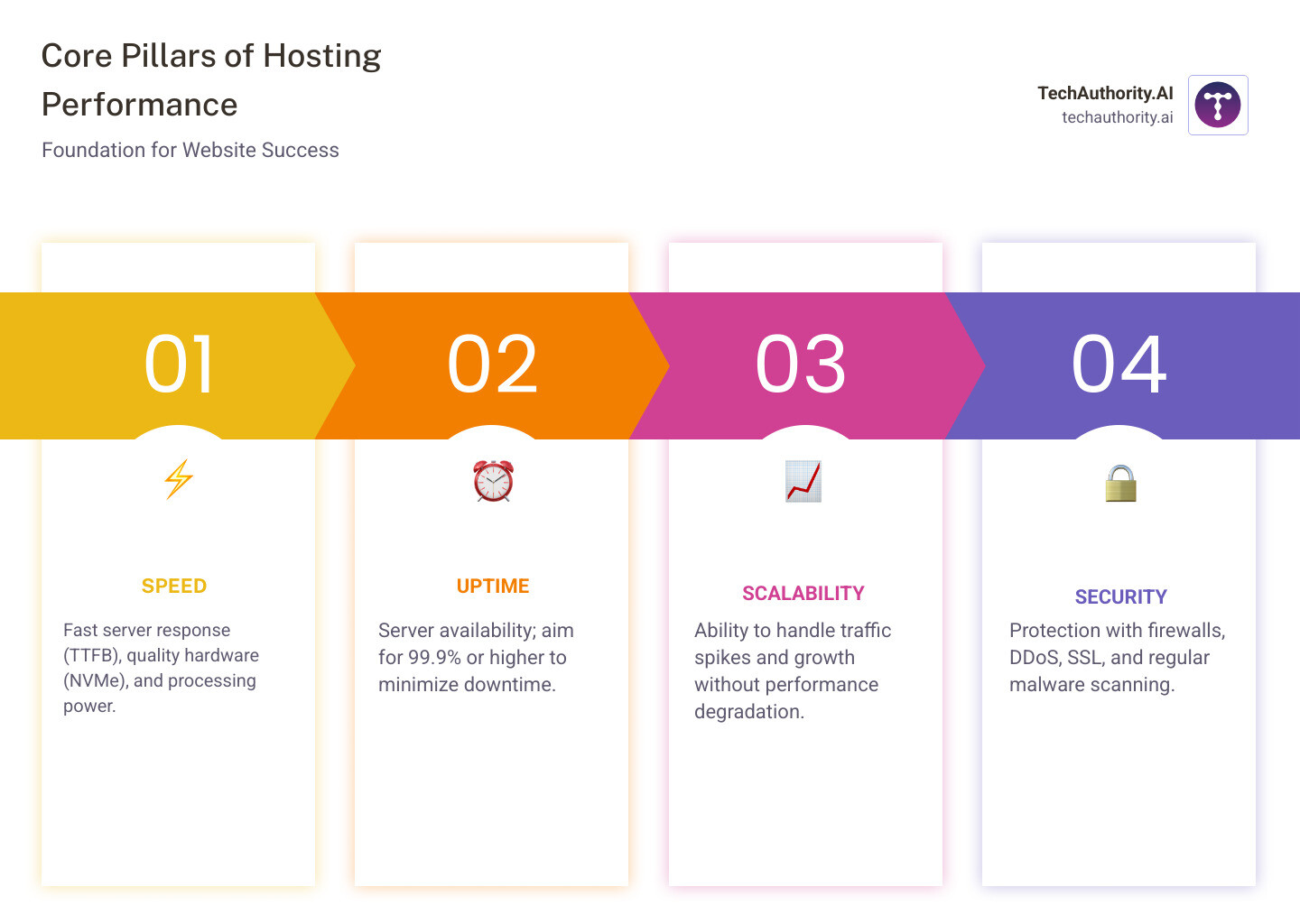
Key factors that define hosting performance:
- Speed – Server response time (TTFB), hardware quality (SSD vs NVMe), and processing power
- Uptime – Server availability (aim for 99.9% or higher)
- Scalability – Ability to handle traffic spikes without slowdowns
- Security – Firewalls, DDoS protection, SSL certificates, and malware scanning
Web hosting is often overlooked, yet it is critical for your site's performance and user experience. A one-second delay in page load time can lead to a 7% decrease in conversions. For a site generating $100,000 monthly, that is $7,000 lost to slow loading times.
Most WordPress hosting benchmarks tell an incomplete story. They typically measure cached homepages under ideal conditions. Real-world usage is very different and includes logged-in users, customer checkouts, searches, and traffic spikes from marketing campaigns.
Your choice of hosting provider significantly affects load times, uptime, and stability. These, in turn, influence customer satisfaction, retention, and revenue. Navigating the web hosting market can be confusing because of different hosting types, technical jargon, and complex pricing structures that sometimes hide renewal increases.
I am Randy Speckman, founder of Randy Speckman Design. I have helped over 500 entrepreneurs optimize their hosting performance for maximum speed and reliability. Through years of testing, I have learned that understanding hosting performance is essential for any WordPress professional looking to deliver measurable results for their clients.
If you are new to these concepts, here is a simple guide to hosting performance terms and related topics:
Why Hosting is the Unsung Hero of Your Website's Success
Think of your website as a high-performance sports car. You wouldn't use low-quality fuel and expect to win. Similarly, a beautifully designed website can fail without the right hosting performance. Web hosting is the engine that determines if your digital presence soars or sinks.
Your choice of web hosting directly impacts performance, affecting everything from user experience to your bottom line. It's the service that makes your site accessible online by housing all its resources—files, images, databases, and more. Without robust hosting, your site is just a collection of files with no way to reach an audience.
The impact is tangible. Users expect pages to load in under two seconds; otherwise, they leave. This translates to lost opportunities and revenue. Beyond speed, server hardware and bandwidth determine how smoothly content is delivered and how many visitors your site can handle at once. For a deeper dive into making your WordPress site fly, check out our WordPress Speed Optimization Ultimate Guide.
The Need for Speed: How Hosting Directly Impacts Load Times
Speed is the most visible aspect of hosting performance. When a user visits your site, their browser requests files from your host's server. The faster the server processes the request and sends back files, the faster your site loads. This process is heavily influenced by your server's resources.
- Server Resources: This includes the CPU (the brain), RAM (short-term memory), and disk I/O (how fast data can be read from and written to storage). If your hosting plan skimps on these, your website will struggle, especially under traffic.
- SSD vs NVMe Storage: Gone are the days of slow, spinning hard disk drives (HDDs) for serious websites. Solid State Drives (SSDs) offer a significant speed boost. But the real game-changer is NVMe storage, an advanced version of SSD that connects directly to the server's PCIe bus, offering lightning-fast data processing. Hosts utilizing NVMe can deliver content much faster.
- Server-Side Caching: This is like having a quick-reference library on your server. Instead of rebuilding a webpage from scratch every time a user requests it, the server stores a ready-to-serve version. This dramatically reduces processing time and speeds up delivery.
- Content Delivery Network (CDN): A CDN isn't strictly hosting, but it works hand-in-hand with it to improve speed globally. It's a network of servers distributed worldwide. When a user requests your site, the CDN delivers static content (images, CSS, JavaScript) from the server geographically closest to them, reducing latency and making your site feel faster, no matter where your visitors are.
A one-second delay in page load time can cause a 7% drop in conversions. Investing in a host with better server hardware and optimized configurations is a direct investment in your business's success. Learn more about how to make your WordPress site load faster with our Improve WordPress Loading Speed guide.
Uptime and Availability: The True Cost of Being Offline
Imagine a store that's frequently closed during business hours. Customers would get frustrated and go elsewhere. The same applies to your website. Uptime refers to the amount of time your website is online and accessible to users.
High-quality hosting services generally guarantee 99.9% uptime or better. But what does that really mean?
- 99.9% Uptime: This might sound impressive, but it translates to roughly 43 minutes of downtime per month, or nearly 9 hours per year. For a busy e-commerce site, that's a lot of lost sales and frustrated customers.
- 99.99% Uptime: A significant step up, this guarantee means your site won’t be offline for more than 2 minutes per week, or about 52 minutes per year. This level of reliability is typically considered the gold standard and minimizes business disruption.
The true cost of downtime goes beyond lost sales. It erodes user trust, damages brand reputation, and can impact your search engine rankings if Google's crawlers frequently find your site unavailable. We monitor our sites consistently to ensure they are always available. For tools and strategies to keep an eye on your site's availability, explore our guide on WordPress Uptime Monitoring Services.
Your Hosting's Role in Website Security and SEO
Hosting performance is also deeply intertwined with security and search engine optimization (SEO). A secure and fast website is better for both users and search engines.
-
Security Features: A reputable web host acts as your first line of defense against online threats. They provide essential security measures such as:
- Firewalls: To block malicious traffic.
- DDoS Protection: To defend against distributed denial-of-service attacks that try to overwhelm your server.
- Malware Scanning: To detect and remove harmful software.
- SSL Certificates: Essential for encrypting data between your site and users, indicated by “https://” in the URL. Google favors secure sites, and visitors expect it.
Without these, your site is a sitting duck for cyberattacks, which can lead to data breaches, site defacement, and severe damage to your reputation. Learn how to fortify your digital fortress with our Server Security guide.
-
SEO Rankings: Google and other search engines prioritize websites that offer a good user experience, and speed is a massive part of that. Page speed has long been a direct Google ranking factor. If your site is slow, it can negatively impact your visibility in search results. Furthermore, Google's Core Web Vitals (LCP, INP, CLS) heavily rely on how quickly and smoothly your site loads and becomes interactive. A slow Time to First Byte (TTFB), for instance, can drag down your Largest Contentful Paint (LCP) score, signaling to Google that your site isn't delivering content efficiently. Good hosting performance lays a solid foundation for effective SEO strategies.
A Practical Guide to Different Hosting Environments
Choosing the right hosting environment is like picking the right vehicle for a journey. Different websites have different needs, and understanding the types of hosting available is key to making an informed decision.
Here's a quick comparison of the main hosting types:
| Hosting Type | Performance | Scalability | Cost | Technical Skill Required |
|---|---|---|---|---|
| Shared Hosting | Low-Moderate | Limited | Low | Low |
| VPS Hosting | Moderate-High | Moderate-High | Moderate | Moderate |
| Dedicated Hosting | High | High | High | High |
| Cloud Hosting | Very High | Very High | Variable | Moderate-High |
This table provides a snapshot, but let's dive deeper into what each means for your website's hosting performance. For guidance on making this crucial choice, refer to our How to Choose Hosting guide.
Shared Hosting: The Starting Point
Shared hosting is the most common and cheapest option, making it a popular starting point for new websites and small businesses.
- Cost-effective & Beginner-friendly: It’s affordable because you share server resources (CPU, RAM, disk space) with many other websites. The hosting provider manages all server maintenance, making it easy to get started without technical expertise.
- Shared Resources: This is also its biggest drawback. It's like living in an apartment building and sharing the same internet connection; if one neighbor uses too much bandwidth, everyone else slows down. This is known as the “noisy neighbor” effect.
- Performance Limitations: Because resources are pooled, shared hosting can be a bottleneck for speed. If another site on the server gets a traffic spike, your hosting performance can suffer. This makes it less suitable for high-traffic sites or those with complex functionalities.
While great for static, low-traffic sites, it's crucial to understand these limitations. If you're currently on shared hosting and looking to squeeze out every bit of speed, our Optimize WordPress Shared Hosting guide can help.
VPS, Dedicated, and Cloud: Scaling for Growth
As your website grows, so do its demands. This is where Virtual Private Servers (VPS), Dedicated Servers, and Cloud Hosting come in, offering increased hosting performance and scalability.
- Virtual Private Server (VPS): A VPS offers a middle ground. While it still resides on a physical server shared with others, the server is partitioned into several virtual machines. Each VPS operates as its own isolated environment with dedicated resources (a guaranteed amount of CPU and RAM). This provides significantly better hosting performance and control compared to shared hosting, without the high cost of a dedicated server.
- Dedicated Hosting: This is the ultimate in hosting exclusivity. With dedicated hosting, your website gets full access to an entire physical server. All its resources are yours alone. This provides maximum hosting performance, security, and customization options, making it ideal for large-scale websites, high-traffic e-commerce stores, or applications with specific requirements.
- Cloud Hosting: This is the most flexible and scalable option, using a network of interconnected virtual servers rather than a single physical one. Resources are distributed across multiple machines, meaning your site can dynamically pull resources as needed. If you experience a traffic spike, the cloud infrastructure can automatically scale up to handle the load without downtime. This makes it perfect for websites with unpredictable traffic patterns or those needing robust scalability for growth, such as e-commerce platforms. For those running online stores, our Ecommerce Web Hosting Complete Guide dives into these advanced options.
Managed Hosting vs. DIY: What's the Performance Difference?
The choice between managed and DIY hosting impacts both your site's hosting performance and your time investment.
- Managed Hosting Benefits: With managed hosting, the provider handles all server management tasks for you—updates, security patches, backups, and caching configurations. This frees you up to focus on your content and business. Many managed WordPress hosts offer expert support and environments specifically tuned for WordPress, often resulting in excellent out-of-the-box hosting performance. The trade-off is often a higher price and less direct control.
- DIY VPS Setup: This approach involves setting up and managing your own Virtual Private Server. While it demands more technical skill and time, a DIY setup offers full control over the server environment. You can tailor every aspect to your site's needs, which can yield significantly better hosting performance for your money, especially when combined with modern control panels.
- Control Panels: To bridge the gap between raw DIY and fully managed, modern control panels provide a user-friendly interface to manage your VPS without needing deep command-line expertise. They automate many setup and maintenance tasks, making the DIY VPS approach much more accessible. This allows for a cost-effective solution with high performance and control.
- Cost-Benefit Analysis: While managed hosting is convenient, a well-configured DIY VPS can provide superior hosting performance at a lower cost if you're comfortable with hands-on management. It's about weighing your time against potential cost savings and performance gains. For a comprehensive look at managed solutions, read our Managed WordPress Hosting Guide 2025.
How to Measure and Choose a High-Performance Hosting Solution
Choosing the right hosting solution is a strategic decision that goes beyond affordability. It directly affects critical aspects of your website’s performance. To ensure you're making the best choice, we need to understand how to measure hosting performance and what factors to prioritize.

First, we need to be clear on our own needs.
- Knowing Your Requirements: Before even looking at providers, assess your website's needs. How much traffic do you anticipate? What kind of functionality does it have (simple blog vs. complex e-commerce)? What are your security priorities? Understanding these will help narrow down the appropriate hosting types and specifications.
- Evaluating Hosting Features: Look beyond just price. Evaluate uptime guarantees (aim for 99.9% or higher), speed optimization features (NVMe storage, CDNs, server-side caching), scalable resources, and 24/7 customer support. Don't be shy about asking specific questions about their infrastructure.
- Planning for Scalability: Your website will hopefully grow, so choose a hosting solution that can grow with you. Can you easily upgrade resources (CPU, RAM, storage) as your traffic increases? Does the provider offer different hosting types (shared to VPS to dedicated) within their ecosystem for seamless transitions?
For a detailed comparison of WordPress hosting providers and their features, consult our WordPress Hosting Comparison Chart.
Key Metrics for Evaluating Hosting Performance
When we talk about hosting performance, we're often looking at specific metrics that give us a clear picture of how well a server is doing its job. These aren't just technical jargon; they're indicators of user experience and business success.
- Time to First Byte (TTFB): This measures how long it takes for a web server to respond to a request and deliver the very first byte of information. A good TTFB is generally considered to be less than 200ms. A high TTFB (over 500ms) can indicate an overloaded server, slow database queries, or inefficient server-side processing. It's a crucial metric because it tells us how “snappy” our server is before any content even starts to render. Online performance testing tools can provide insights into your site’s TTFB and overall load times.
- Uptime Percentage: As discussed, this is the percentage of time your website is online and accessible. We want this number to be as close to 100% as possible. Reputable hosts will proudly display their uptime statistics.
- Load Times (LCP): While TTFB measures the server's initial response, Largest Contentful Paint (LCP) measures how quickly the largest content element on your page becomes visible to the user. This is a Core Web Vital metric and directly impacts user perception of speed. A fast LCP indicates good hosting performance combined with efficient front-end optimization.
The Importance of Server Location and Infrastructure
The physical location of your web host's servers and the quality of their underlying infrastructure play a surprisingly significant role in your website's hosting performance.
- Latency Explained: Latency is the delay before a data transfer begins following an instruction. In simpler terms, it's the time it takes for data to travel from your user's device to your server and back. The further the physical distance, the higher the latency.
- Data Center Proximity to Users: If your target audience is primarily in North America, hosting your site on a server in Europe will introduce unnecessary latency, making your site feel slower for those users. Choosing a data center geographically close to your main audience reduces this travel time, ensuring faster data delivery and a better user experience. For instance, data centers in Ashburn, VA, are known for their robust infrastructure and low latency for US-based traffic.
- Content Delivery Networks (CDNs): This is where CDNs become invaluable. By caching your website's static content on servers worldwide, a CDN ensures that users receive content from the nearest possible server, dramatically reducing latency regardless of your primary server's location.
Understanding where your data lives and how it travels is key to optimizing your global hosting performance. You can view a map of major data center hubs to get a sense of global infrastructure.
Proactive Steps to Optimize and Maintain Your Hosting Performance
Achieving optimal hosting performance isn't a one-time setup; it's an ongoing journey of continuous improvement. Just like a garden needs regular tending, your website's hosting environment requires proactive management to ensure it continues to flourish.

We believe in empowering our clients with the knowledge to maintain peak website health. Regular testing and monitoring are crucial for identifying bottlenecks before they impact your users. For a comprehensive approach to keeping your WordPress site in top shape, check out our WordPress Site Optimization guide.
Server and Application-Level Tweaks
These behind-the-scenes adjustments on your server or within WordPress can significantly boost hosting performance.
- Enable Server-Side Caching: Ensure your host provides robust server-side caching (like Batcache or LiteSpeed Cache) and that it's properly configured. This is distinct from browser caching and drastically reduces server load.
- Use the Latest PHP Version: PHP is the language WordPress is built on. Newer versions (e.g., PHP 8.3) offer significant performance and security improvements. Always run the latest stable version compatible with your site.
- Optimize Your Database: Your WordPress database stores all your content, settings, and user data. An unoptimized database can become a bottleneck. Key areas to focus on include:
- InnoDB Buffer Pool Size: This setting determines how much RAM your database uses to cache frequently accessed data. A good rule of thumb is to allocate 50-70% of your server's available RAM to this for optimal database performance.
- Max Allowed Packet: Increase this if you encounter issues with large data transfers, like uploading large images or importing extensive datasets.
- Configure PHP Settings: Beyond the version, specific PHP settings can impact hosting performance:
- PHP OpCache: Ensure this is enabled. OpCache stores pre-compiled script bytecode in shared memory, eliminating the need to load and parse scripts on every request. It's a massive performance booster.
- PHP Memory Limit: This defines how much RAM a single PHP script can consume. While defaults might be 256MB, larger or more complex sites (especially e-commerce) often benefit from 512MB or even 1024MB to prevent errors and ensure smooth operation.
To pinpoint specific issues and fine-tune these settings, we recommend using a powerful debugging tool like Query Monitor. It provides invaluable insights into database queries, script execution times, and more.
Content and Code Optimization Best Practices
Even with top-tier hosting, unoptimized content and code can drag down hosting performance. These practices make your site's front-end as lean and efficient as possible.
- Image Compression: Images are often the largest files on a webpage. Unoptimized images slow down your site. Always compress images for the web, use modern formats like WebP, and aim for file sizes under 200KB. Our Optimize Images for WordPress guide has all the details.
- Minify CSS and JavaScript: Minification removes unnecessary characters from code files, reducing their size. Combining files can also reduce the number of HTTP requests your server handles. Learn more in our Combine CSS Files WordPress guide.
- Use a Lightweight Theme: Many WordPress themes come packed with features you might not need, leading to bloated code. Choose a theme that is lean, fast, and built with performance in mind.
- Lazy Load Media: This technique defers the loading of images and videos until they are about to enter the user's viewport. This means the browser only loads what's immediately visible, significantly improving initial page load times, especially for content-rich pages.
Frequently Asked Questions about Hosting Performance
We often get questions about how to make websites faster and more reliable. Here are some common inquiries regarding hosting performance.
How does web hosting affect a website's scalability?
Scalability is your site's ability to handle traffic growth without buckling under the pressure. Web hosting directly impacts this by providing the underlying resources. Shared hosting, for instance, has limited scalability because you're sharing resources with many others; a sudden surge in your traffic might overwhelm the server and slow down your site (and others!). In contrast, VPS and Cloud hosting offer much better scalability. They allow for easy resource upgrades (like adding more CPU cores or RAM) to manage traffic spikes without performance degradation. This ensures a smooth user experience even as your audience grows, empowering your business to scale effortlessly.
What is a good uptime guarantee?
A good uptime guarantee is 99.9% or higher. While 100% uptime is virtually impossible due to unforeseen circumstances or maintenance, a high percentage indicates a reliable host. To put it in perspective:
- A 99.9% guarantee means your site could be down for about 43 minutes per month.
- A 99.99% guarantee reduces that to just over 4 minutes per month.
This metric is a key indicator of a host's reliability and commitment to keeping your website available.
Can I change my web host without losing my website?
Absolutely! Migrating your website to a new host is a common practice and can be done without losing any data. Many managed hosting providers understand this need and offer free migration services as part of their package, handling the entire process for you. Alternatively, if you prefer a more hands-on approach, you can use specialized plugins like Migrate Guru to move your site yourself with minimal downtime. Always remember to back up your website before initiating any migration!
Conclusion
We've journeyed through the intricate world of hosting performance, uncovering why it's not just a technical detail but a foundational, strategic investment for your online success. From the subtle nuances of server speed and the critical importance of uptime to the robust defenses of security and the boundless potential of scalability, your hosting choice underpins every aspect of your website's ability to perform.
Moving beyond simple benchmarks, we encourage a holistic view—one that accepts continuous performance monitoring and proactive optimization. The right hosting solution doesn't just keep your site online; it empowers business growth, improves user experience, and solidifies your digital presence.
At TechAuthority.AI, we are dedicated to providing expert guides and resources that explain complex topics like hosting performance. We believe that with the right knowledge, every entrepreneur and agency can master WordPress and grow their online businesses.
Ready to build a high-performing site that truly stands out? Explore our expert guides on WordPress Development to build a high-performing site.