

Why Your Projects Need a Resource Allocation Tool
A resource allocation tool is software that helps you assign, schedule, and optimize your team, equipment, and materials across projects to ensure work gets done on time and within budget. It moves you from spreadsheets and endless meetings to a single source of truth for who's doing what.
Key benefits include:
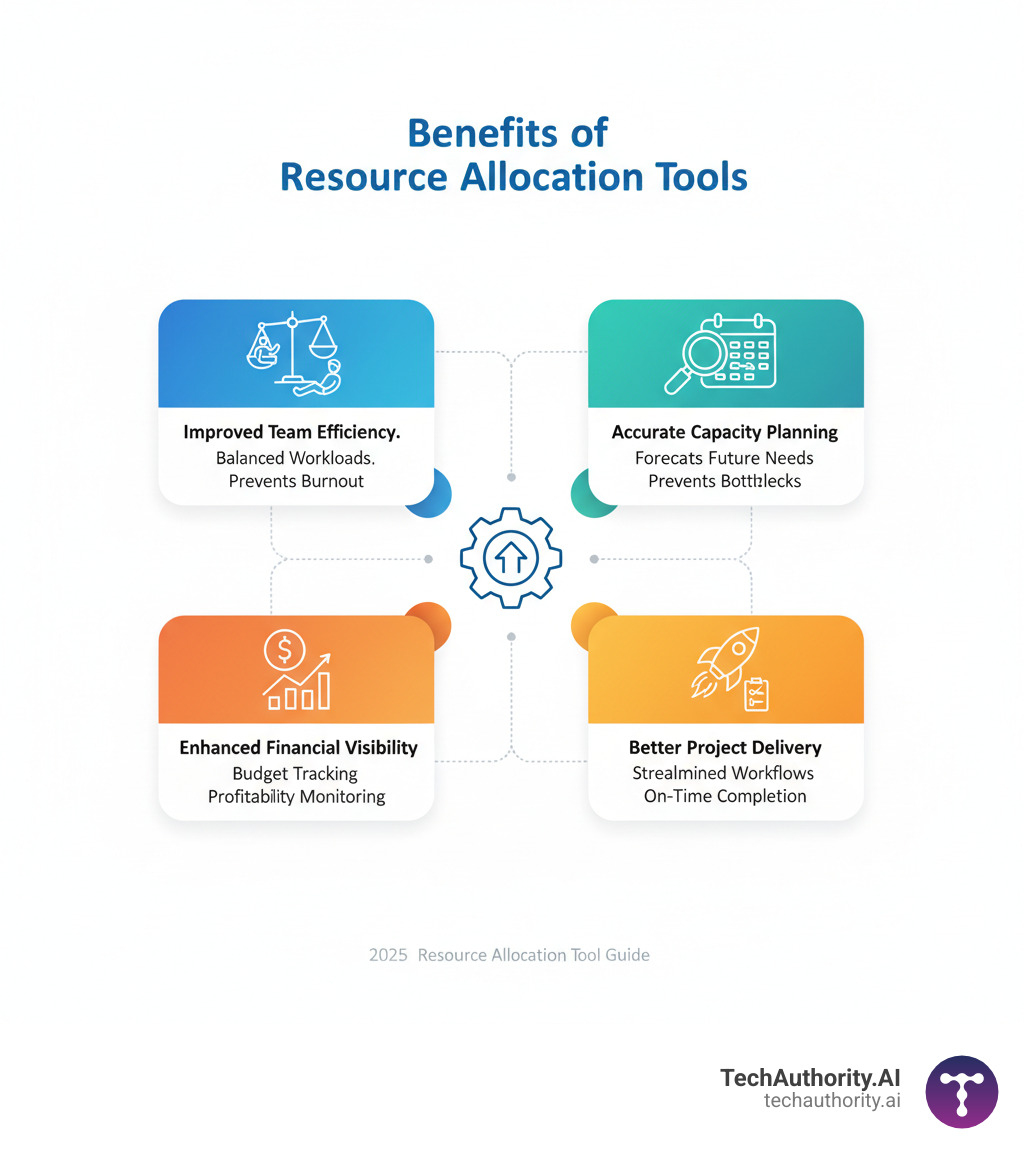
- Balanced workloads: Visualize team capacity to avoid burnout and identify who has bandwidth.
- Improved profitability: Track budgets, monitor utilization, and see real-time project margins.
- Better delivery: Increase on-time project completion rates, with some teams reporting jumps from 40% to 90%.
- Efficient scaling: Manage multiple projects and teams without manual juggling.
Imagine your lead developer is drowning in requests while a talented designer sits idle. This is the hidden cost of poor resource allocation. Without visibility, organizations waste time and money on fire drills and fixing preventable problems. Many studio managers report that proper resource management has transformed their business, offering a simple yet powerful way to run projects.
The issue isn't incompetence; it's that manual methods like spreadsheets are stuck in the past. They are slow, error-prone, and lack the real-time visibility modern teams need. When juggling freelancers, deadlines, and growth, you can't afford to guess who's available or find conflicts too late.
A resource allocation tool transforms this chaos into clarity. You get proactive planning instead of reactive scrambling, balanced workloads instead of burnout, and financial visibility that drives profitability.
I'm Randy Speckman, founder of Randy Speckman Design. Over two decades, I've seen how essential a solid resource allocation tool is for scaling efficiently, preventing bottlenecks, and delivering exceptional results consistently.
Glossary for resource allocation tool:
- project planning template free
- human resource management tool kit
- timeline template excel free download
The Core Benefits of Using a Resource Allocation Tool
Here's what makes a resource allocation tool more than just another piece of software: it fundamentally changes how your team operates. Instead of reacting to fires, you're planning ahead. Instead of guessing who's available, you know.

Imagine replacing your spreadsheet with a centralized resourcing plan that updates in real-time, showing you exactly who has bandwidth and who's underwater. That's the shift from chaos to clarity. Your team gets focus, speed, and transparency because everyone can see the plan.
The numbers tell the story. One in-house team went from delivering 40% of projects on time to a 90% on-time delivery rate after implementing proper resource allocation. When you can match the right people to the right work based on skills, availability, and capacity, you're building winning teams for every project. For more insights, explore our Human Resource Management Tool Kit.
Maximizing Team Efficiency and Project Delivery
A good resource allocation tool transforms how work flows through your organization. Better project planning becomes possible when you can see the full picture and assign resources with confidence. On-time delivery stops being a pipe dream because everyone can see timelines and track progress in one central place, improving collaboration dramatically. Teams report finishing 137% more work—not by working longer, but by working without friction.
The secret is balanced workloads and early bottleneck detection. Spotting that your lead developer is overbooked while a junior dev has capacity allows you to make smart decisions before they become problems. Streamlined workflows also reduce administrative tasks, as many tools automate timesheets and updates. This frees project managers to focus on strategy instead of spreadsheet wrangling. For more strategies, check out our guide on Productivity Tools for Agencies.
Achieving Financial Health and Profitability
A resource allocation tool earns its keep by connecting your people decisions directly to your profit margins. Vague senses of profitability don't pay the bills.
Real-time budget tracking changes the game. You can outline project timelines, create milestones, and monitor your financial standing at any moment, preventing surprise overruns. Accurately tracking billable vs. non-billable hours is crucial for hitting utilization targets and spotting where non-billable time is eating your margins.
Powerful tools provide profitability insights right in your project plan view, linking team rates and costs to scheduled hours. This means you can scope projects with profits in mind from day one. Data-driven decisions become possible with customizable reports on team and project performance, helping you identify overspending and find your most lucrative work.
By continuously comparing actuals to estimates, you track financial performance in real-time. Integrating your people, projects, and financials into one system gives you a complete picture of your business health—the missing link between being busy and being profitable.
Key Features to Look For in Resource Allocation Software
Shopping for a resource allocation tool can be overwhelming. To find the right fit, focus on a handful of essential features that will serve as your command center.
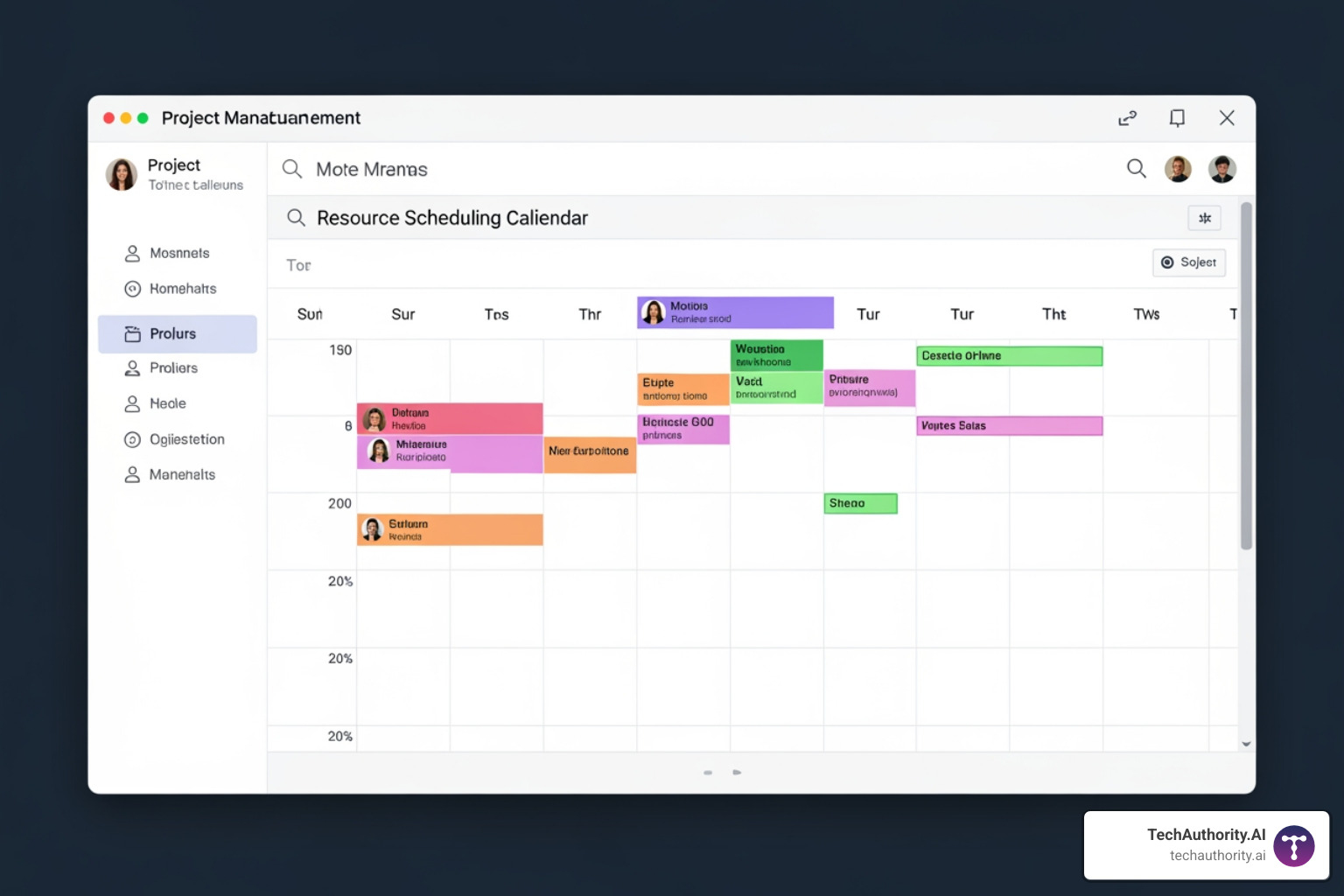
Key features to look for include centralized resource scheduling, capacity planning dashboards, time tracking, reporting and analytics, and integrations with your existing tech stack. These elements work together to provide a clear, actionable view of your operations. If you're looking to structure your reporting, our Free Report Template Word guide can help you define key metrics.
Core Planning and Scheduling Capabilities
These features are what separate a useful resource allocation tool from digital clutter. A visual team calendar is non-negotiable, letting you see everyone's availability, workloads, and utilization in one view. Heatmaps are particularly effective for instantly showing who's overbooked. When priorities shift, drag-and-drop scheduling lets you move assignments without rebuilding the entire plan.
Smart tools also allow task assignment by skill or role, ensuring you match the right person to the right work. In-tool project timeline creation helps you map out milestones and track progress without switching platforms. For more on visual planning, check out our Timeline Template Excel Free Download. Finally, integrated leave and vacation management is crucial for planning around absences before they become emergencies.
Advanced Analytics and Forecasting
Advanced analytics transform your tool from a digital calendar into a strategic advantage. Workload visualization with heatmaps gives you an instant temperature check on your team, helping prevent the workload imbalance that leads to burnout, an issue often caused by a lack of visibility into resource allocation.
Utilization reports reveal patterns, such as which projects consume the most resources or where estimates consistently miss the mark. The real magic, however, is capacity vs. demand forecasting. This allows you to see resource crunches weeks or months ahead, enabling strategic hiring or pipeline adjustments. Scenario planning lets you test “what if” situations, like landing a big client, to build resilient plans.
Real-time data dashboards put all this information at your fingertips, allowing you to make confident resourcing decisions on the fly. When an urgent request comes in, you'll know immediately if you can take it on.
Types of Resource Allocation Platforms
There are many types of resource allocation tool platforms, each with its own strengths. Understanding the main categories helps you find the perfect fit for your needs.
The software landscape includes all-in-one project management platforms, specialized resource scheduling tools, modern spreadsheet-style solutions, and AI-driven platforms. The right choice depends on the problems you're trying to solve. A small agency might thrive with a simple visual scheduler, while a large enterprise needs robust analytics and forecasting.
Integrated Project Management Platforms
These platforms aim to be a “single source of truth,” bringing task management, project tracking, and resource allocation into one cohesive system. The key benefit is that task, project, and resource management work together seamlessly. When a project timeline is updated, the resource implications update automatically, eliminating manual syncing.
Most of these platforms offer customizable workflows that adapt to how you work, whether it's agile sprints or unique production processes. To help map your workflows, our Free Process Flowchart Excel Guide can be a useful starting point. The centralized collaboration aspect is also powerful, as it improves communication and reduces misunderstandings. These platforms are ideal for teams wanting to consolidate scattered information from emails, spreadsheets, and chat into one organized system.
The Rise of the AI-Driven Resource Allocation Tool
The future of resource management is intelligent. An AI-driven resource allocation tool doesn't just display data; it actively helps you make smarter decisions and anticipates problems.
Intelligent auto-scheduling acts like an assistant who knows everyone's skills, availability, and workload, suggesting optimal assignments automatically. This frees up project managers to focus on strategy and leadership. Predictive project analysis uses historical data to spot potential delays or resource crunches before they happen, allowing you to be proactive.
With automated task assignment, the system considers who is best suited for a job based on skills and performance, not just availability. This prevents burnout among top performers and ensures all talent is used. Workload optimization suggestions help maintain a healthy balance across the team. These AI-powered tools are particularly valuable for teams needing to maximize productivity through automation, especially when juggling complex schedules and shifting priorities.
How to Choose the Right Software for Your Business
Choosing the right resource allocation tool requires understanding your unique needs, not just chasing an impressive feature list. The best tool is worthless if your team doesn't use it.
Start by assessing your specific needs. Are you struggling with scheduling conflicts, a lack of visibility, or tracking billable hours? Write down your main pain points to guide your search. Team size and scalability also matter. A tool for a ten-person startup may not work for a hundred-person organization, so look for solutions that can grow with you.
Crucially, ease of use beats feature count every time. A complex tool that half your team ignores is a failed investment. Look for intuitive interfaces, helpful onboarding, and accessible support. Also, consider budgeting and pricing models. Some charge per user, while others have free plans for small teams. Watch for hidden costs for premium features or integrations. Our Project Planning Template Free can help you map out the total cost of ownership.
Evaluating Your Team's Needs and Workflow
Before choosing any software, understand your team's reality. Start by defining your biggest challenges with brutal honesty. Ask your team what their main frustrations are. These specific pain points become your selection criteria.
Create a list separating must-have features from nice-to-have ones. Must-haves are non-negotiable features that solve your core problems, like visual capacity planning. Nice-to-haves are bonuses, like advanced AI forecasting. Involving your team in the selection process is smart business. They'll spot workflow issues you might miss and will be more invested in a tool they helped choose.
Finally, consider your industry-specific requirements. A marketing agency has different needs than an architecture firm. Understanding your unique context helps filter out irrelevant tools. Our Buyer Persona Template Free can help map out what different roles in your organization need from the tool.
Driving Adoption of Your New Resource Allocation Tool
Successful implementation requires a plan. Simply announcing a new tool isn't enough.
Create a clear implementation plan with rollout phases, realistic milestones, and clear responsibilities. Providing comprehensive training and support is non-negotiable. Offer multiple learning paths, like workshops and video guides, and make support resources easy to find.
Starting with a pilot project or team is a great way to test the tool and gather feedback before a company-wide rollout. This approach also builds internal champions who can help others later. Finally, communicate the benefits to all users in personal terms. Explain how the tool will reduce their individual frustrations, like being overbooked or spending too much time in status meetings. When people see how a resource allocation tool makes their work life better, adoption happens naturally.
Frequently Asked Questions about Resource Allocation Tools
We've talked with hundreds of businesses about their resource management challenges. Here are answers to the most common questions.
Can I just use spreadsheets for resource management?
While spreadsheets are familiar, they are stuck in the past for modern resource management. The fundamental problem is that spreadsheets are entirely manual. Every update is time-consuming and prone to error. A single mistake can disrupt your entire project schedule.
More importantly, they lack real-time visibility. The moment you save a spreadsheet, its information starts becoming outdated. This makes it impossible to react quickly to changes. Finally, spreadsheets don't scale. Managing a small team might be doable, but juggling a dozen projects with a larger team creates a labyrinth of tabs and version control nightmares.
A dedicated resource allocation tool automates scheduling, tracks time as it happens, and provides a single source of truth for everyone. It's designed for real-time collaboration, which is something spreadsheets simply can't offer.
How does resource allocation software facilitate collaboration for remote teams?
A resource allocation tool is transformative for distributed teams. The biggest challenge for remote work is answering, “Who's doing what and when?” A tool solves this by providing a central platform where all assignments, schedules, and availability are transparent and accessible to everyone, regardless of time zone.
This means everyone sees who is working on what, eliminating confusion and duplicate efforts. It also clarifies roles and responsibilities, which is crucial when you can't just walk over to someone's desk. Many tools also integrate with popular communication platforms, creating a seamless flow between planning and discussion. This alignment regardless of location is what keeps distributed projects from descending into chaos.
Is it worth investing in AI features for resource management?
Yes, AI-powered features in a resource allocation tool are worth it, provided they solve real problems in your workflow. Where AI truly shines is in saving time on manual scheduling. It can automate the grunt work of assigning tasks based on skills, availability, and workload, freeing up project managers for more strategic work.
AI is also valuable for its ability to predict potential bottlenecks by analyzing historical and current data. This allows you to address problems proactively instead of scrambling to fix a crisis. AI also excels at optimizing workloads to prevent burnout by suggesting a more balanced distribution of tasks.
AI increases overall project efficiency and ROI by automating routine decisions and providing predictive insights. If your team deals with complex scheduling or frequent priority shifts, AI-powered resource management is a game-changing investment.
Conclusion
If there's one thing to take away, it's this: a resource allocation tool is a fundamental shift in how you approach your work. It moves you away from the exhausting, unsustainable mode of reactive firefighting.
The right resource allocation tool transforms chaos into clarity. When you can see team capacity, plan projects with confidence, and have real-time visibility into profitability, you stop guessing and start knowing. Your team's workloads are balanced, projects deliver on time, and your bottom line improves because you're making data-driven decisions.
We've seen teams dramatically increase on-time delivery and achieve the profitability they knew was possible. Predictable project success and profitability are entirely achievable when you empower your team with the right tools and visibility.
At TechAuthority.AI, we're passionate about helping entrepreneurs and agencies master the tools that move the needle. We create these guides to share what actually works. If you're ready to take control of your projects, start by exploring the solutions we've discussed.
Explore our complete library of resources and tools to continue building the systems that will take your business to the next level.