

Why Resource Capacity Planning Templates Are Essential for Project Success
A resource capacity planning template is your roadmap to balancing team workload, preventing burnout, and delivering projects on time. If you're looking for ready-to-use templates, here are your best options:
Top Free Resource Capacity Planning Templates:
- All-in-One Project Capacity Planner – Best for managing multiple projects with automated utilization tracking
- Simple Team Workload Template – Perfect for small teams tracking weekly/monthly hours
- Agile Sprint Capacity Planning Template – Designed for development teams using story points and sprints
Each template includes essential components like resource availability, workload allocation, utilization rates, and project timelines—everything you need to start planning capacity today.
Whether you're managing a freelance team or running a growing agency, understanding your team's capacity isn't optional—it's critical for survival. Capacity planning helps you answer crucial questions: Can we take on this new client? Is anyone on the verge of burnout? Where are our bottlenecks? Without a clear view of your team's capacity versus demand, you're flying blind.
The good news is you don't need expensive software to get started. A well-structured resource capacity planning template gives you immediate visibility into your team's workload, helps you identify gaps before they become crises, and enables you to make data-driven decisions about resource allocation.
By ensuring you have the right resources available at the right time, capacity planning helps deliver projects successfully while managing costs and maintaining a healthy work-life balance for your team. It's the difference between reactive firefighting and proactive project management.
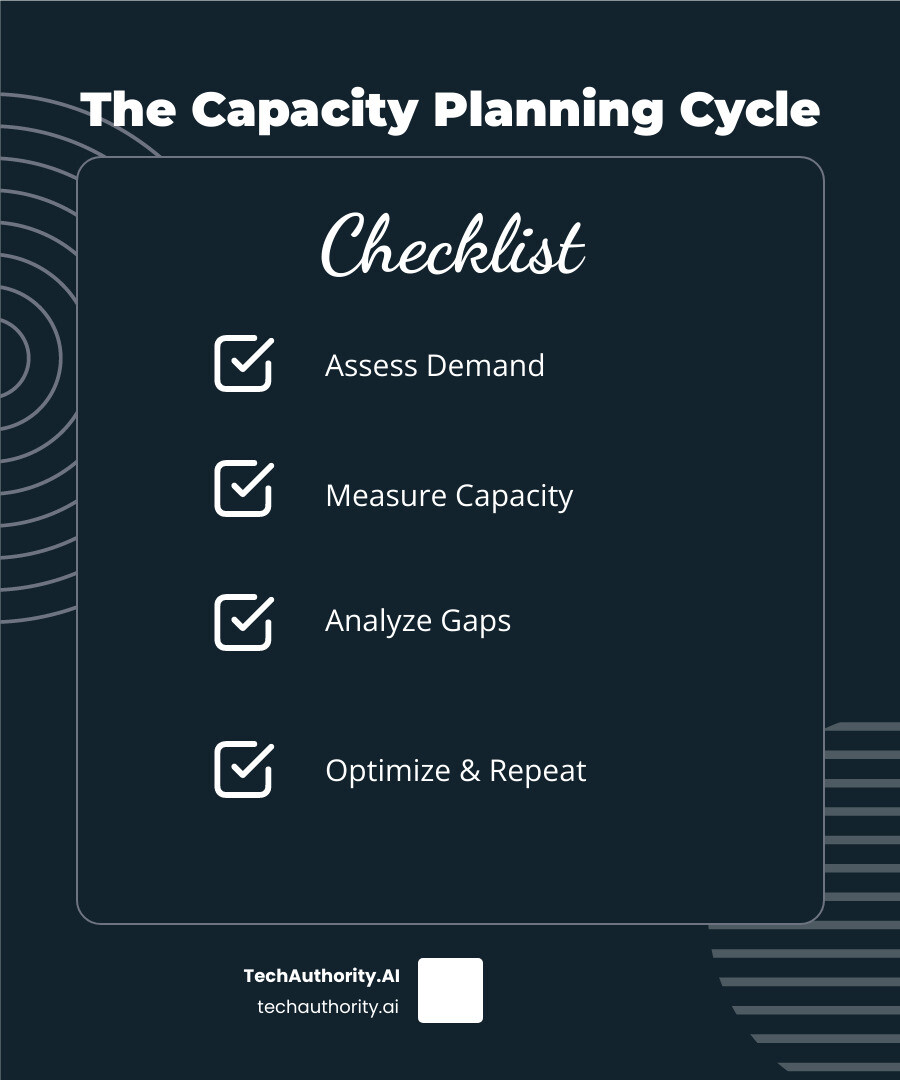
Learn more about resource capacity planning template:
What is Resource Capacity Planning and Why Does It Matter?
At its core, resource capacity planning is the strategic process of evaluating your available resources (your team's skills, time, and tools) against the demand for those resources (your projects and tasks). It's about forecasting your bandwidth to determine if your existing resources can meet current and future work needs.
For project management, capacity planning is foundational. It's the bedrock upon which successful project delivery, efficient resource utilization, and sustainable team performance are built. As a stark statistic reminds us, 85% of startups falter because they don't adequately plan for demand. This isn't just about technical capacity; it extends to human capacity, ensuring our team members aren't stretched thin. Diligent capacity planning helps move your team from a reactive “firefighting” mode to a proactive, strategic approach.
The Core Benefits of Capacity Planning
Investing time in capacity planning with a structured resource capacity planning template yields numerous benefits:
-
Improved Resource Management: Manage your team's time, skills, and tools with precision. By knowing who is working on what and when, you can deploy your most valuable assets efficiently and prevent costly misallocations.
-
Improved Project Tracking: A clear capacity plan helps you track project progress against allocated resources. You can monitor milestones, stay ahead of deadlines, and quickly identify if a project is veering off track due to resource constraints.
-
Proactive Risk Mitigation: By visualizing your team's workload against upcoming demands, you can identify potential resource gaps or bottlenecks before they impact timelines. This allows you to proactively address risks and minimize delays.
-
Better Skill Utilization and Development: A capacity plan with a skills matrix helps you understand your team's capabilities. You can assign tasks based on strengths and identify opportunities for development, which optimizes project delivery and keeps your team engaged.
-
Optimized Budget Allocation: Capacity planning directly impacts your bottom line by preventing overwork and underutilization. It helps you avoid costs from rushed hiring, overtime, or missed deadlines, ensuring you get the most value from your team.
-
Increased Team Well-being and Stress Reduction: When resources are properly allocated, team members feel supported, not overwhelmed. A transparent plan reduces the anxiety of unclear expectations and impossible workloads, fostering a happier, less stressed, and more productive workforce.
Key Components of a Resource Capacity Planning Template
A comprehensive resource capacity planning template is a dynamic tool that visualizes critical information. The most effective ones include these core components:
-
Team Overview: Lists all team members, their roles, departments, and specializations.
-
Project Details: Outlines active and upcoming projects, including names, managers, clients, and key dates to provide context.
-
Workload Allocation (Hours/Points): Details the estimated effort for each task or project (in hours or points) to understand where time is being spent.
-
Skills Matrix: Maps team member skills and expertise to identify the right person for a task and guide training efforts.
-
Resource Availability: Defines each resource's available time for project work, accounting for holidays, PTO, and other non-project commitments.
-
Utilization Rate (%): An automated calculation showing the percentage of a resource's available time allocated to projects, helping to spot over or underutilization.
-
Project Milestones: Key dates and deliverables for each project, ensuring capacity is aligned with critical deadlines.
-
Cost Per Resource: Includes the estimated cost per resource for better budget management and financial oversight.
Download Your Free Resource Capacity Planning Template
Ready to take control of your team's workload? We've curated some excellent free resource capacity planning template options to help you get started. We recommend making a copy or downloading the files so you can customize them to fit your unique needs.
1. The All-in-One Project Capacity Planner
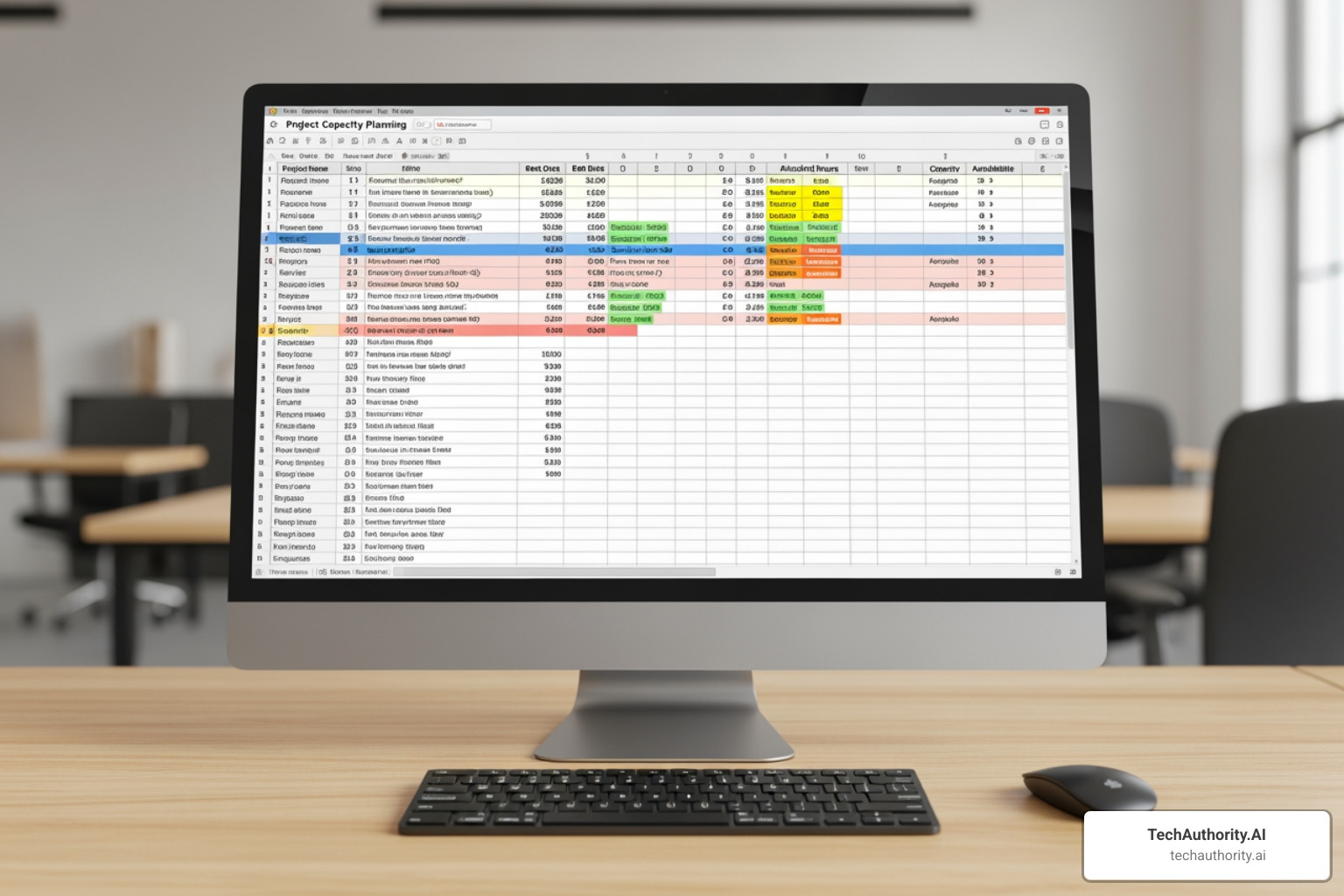
This robust template is a fantastic starting point for project managers juggling multiple projects with a single, shared team. It provides a holistic view, allowing you to see how different projects draw on your collective resources. It's designed to give you a bird's-eye view of your team's capacity across various initiatives.
Key Features:
- Resource List: Clearly define your team members and their roles.
- Project Assignments: Assign team members to specific projects and tasks.
- Monthly Capacity vs. Allocation: Visually compare how much time each resource has available versus how much is currently assigned, broken down by month.
- Automated Utilization Percentage: Automatically calculates the utilization rate for each team member, highlighting potential over- or under-allocation.
This template is particularly useful for understanding if your team is spending too much time on administrative tasks instead of billable project work. It helps ensure that working hours and time percentages align with expectations and goals.
2. The Simple Team Workload Template

Sometimes, less is more. If you're running a smaller team or managing a single department, this simple workload template might be exactly what you need. It cuts straight to the chase, focusing on the essential comparison between available hours and planned hours, making it incredibly easy to use and understand.
Key Features:
- Weekly/Monthly Focus: Designed for short-term planning, making it agile and responsive.
- Available Hours vs. Planned Hours: A direct comparison that quickly reveals if a team member is overloaded or has room for more work.
- At-a-Glance Overallocation: Helps you identify overallocation instantly, allowing for quick adjustments to rebalance workloads and prevent burnout.
This template is perfect for identifying who has extra capacity to take on new tasks or projects and for ensuring that no one is overwhelmed.
3. The Agile Sprint Capacity Planning Template
For development teams living and breathing Agile or Scrum methodologies, this template is custom to your specific needs. It shifts the focus from purely hours to story points or other Agile metrics, aligning perfectly with sprint planning.
Key Features:
- Sprint-Focused: Organizes capacity planning around your defined sprints.
- Tracks Capacity in Story Points or Hours: Allows flexibility to use the metric most relevant to your Agile team.
- Columns for Sprints, Team Members, Capacity, and Actuals: Provides a clear picture of planned capacity versus actual work completed within each sprint.
This template helps us plan and manage resources for Agile sprints by showing the distribution of team members’ time and activities across specific periods.
Best Practices for Effective Capacity Planning
Having a fantastic resource capacity planning template is just the first step. To truly harness its power, embed it within a set of best practices. Capacity planning is an ongoing process, not a one-time setup.
Here's how to make your capacity planning efforts shine:
-
Use Historical Data: Leverage data from past projects to make more accurate future estimates. Analyzing how long similar tasks took helps with forecasting and gaining stakeholder confidence.
-
Involve Your Team in Estimations: Your team members are the experts on their work. Involve them in the estimation process to build a culture of openness, which fosters buy-in and leads to more accurate plans.
-
Account for Non-Project Time: Don't assume 100% availability. Factor in non-project time like administrative tasks, meetings, training, and paid time off (PTO). Forgetting this buffer is a common mistake that leads to overallocation.
-
Aim for 70-80% Utilization: Aiming for 100% utilization is a recipe for disaster. Target a 70-80% utilization rate to leave a 20-30% buffer for unexpected tasks, sick days, and professional development. This helps prevent burnout and maintains a flexible team.
-
Regularly Review and Adjust Your Plan: A capacity plan is a living document. Since projects and priorities evolve, set regular reviews (monthly, weekly, or bi-weekly depending on your team's pace) to update forecasts and reallocate resources as needed.
Choose the Right Capacity Planning Strategy
The right approach depends on your business context and risk appetite.
-
Lead Strategy: Proactively increase capacity in anticipation of future growth. Use this when resources are flexible or the cost of unmet demand is high. Example: Hiring new staff before a busy season.
-
Lag Strategy: Reactively increase capacity after demand has been met or exceeded. Use this for expensive or specialized resources where idle capacity is costly. Example: Buying more software licenses only after usage proves the need.
-
Match Strategy: Incrementally add capacity in response to real-time changes in demand. This approach balances risk and responsiveness but requires constant monitoring. Example: Onboarding freelancers as the project pipeline grows steadily.
How to Use Your Resource Capacity Planning Template
Here's a step-by-step guide to effectively using your chosen resource capacity planning template:
Step 1: List Your Resources (Team Members) and Their Roles
Start by populating your template with every team member. Include their names, roles, and any specific skills or specializations that are relevant to your projects.
Step 2: Determine Available Capacity for Each Resource
Calculate each team member's available hours for the planning period (e.g., a month). Start with total work hours and subtract time for public holidays, PTO, meetings, and administrative tasks. Also, include a buffer (e.g., 20-30%) to establish a realistic project-focused capacity. You can use an online workday calculator to find the total business days for your country, ensuring accuracy.
Step 3: Forecast Demand by Listing All Projects and Tasks
Next, list out all current and upcoming projects, as well as significant ongoing tasks. For each, identify the key deliverables and the general scope of work.
Step 4: Estimate the Effort for Each Task
This step is critical and benefits from team collaboration. For each task, estimate the required effort in hours or effort points. Be realistic and use historical data.
Step 5: Allocate Resources and Compare Demand vs. Capacity
Now, start allocating team members to tasks based on their skills and available capacity. Compare the total estimated effort against each resource's available capacity.
- Spot Gaps: If total demand exceeds available capacity, you've identified a capacity gap.
- Identify Overallocation: If a team member is allocated more hours than their available capacity, they are overallocated—a red flag for burnout.
- Find Underutilization: If a resource has significant unused capacity, they could take on more work.
This comparison allows you to make informed decisions like reallocating tasks, adjusting timelines, or bringing in additional support.
Common Mistakes to Avoid in Capacity Planning
Even with the best intentions and a stellar resource capacity planning template, it's easy to fall into common traps. Here are some mistakes to avoid:
-
Poor Forecasting: Don't just focus on current requirements. Use historical data and predictive tools to estimate future workload. Poor forecasting is a major reason for business failure, so robust forecasting is critical.
-
Planning in Silos: Avoid planning in isolation, as it leads to resource conflicts and blind spots. Capacity planning should be a collaborative effort across teams with shared visibility into priorities and workloads.
-
Forgetting Non-Productive Time: A classic mistake is ignoring non-project time like holidays, meetings, and administrative tasks. Forgetting to account for this time inevitably leads to overallocation and burnout.
-
Not Aligning with Business Objectives: Ensure your capacity plan supports your overarching business goals. Otherwise, it's just busywork. Your resource allocation should directly contribute to strategic objectives.
-
Using Static Plans That Are Never Updated: A capacity plan is not static. Projects and priorities change, so failing to update your plan regularly makes it obsolete. Set a schedule for regular reviews to keep it relevant.
-
Ignoring the Impact of Change on Workloads: New initiatives or process changes impact workloads. Evaluate how these changes will affect project timelines and team members before implementing them.
By actively avoiding these common mistakes, you can ensure your capacity planning is both effective and sustainable. Using templates can also help you create better reports to track and communicate these changes.
Beyond Spreadsheets: Enhancing Capacity Planning with Software
While a spreadsheet-based resource capacity planning template is an excellent starting point, spreadsheets have limitations as your team and projects scale.
Limitations of Templates:
- Manual Data Entry: Requires time-consuming manual updates, which are prone to error.
- Lack of Real-time Updates: Data can quickly become outdated, as it isn't refreshed in real-time.
- Scalability Issues: Becomes unwieldy and inefficient as projects and teams scale.
- Limited Collaboration: Lacks robust collaboration features like version control and advanced commenting.
This is where dedicated capacity planning software shines, automating tedious processes and providing more dynamic insights.
Benefits of Dedicated Software:
- Automation: Automates calculations, utilization rates, and overallocation flagging, saving time.
- Calendar Integrations: Integrates with team calendars to automatically account for meetings and time off.
- Real-time Dashboards: Provides dynamic dashboards for instant visual overviews of capacity and progress.
- Centralized Data: Keeps all project and resource data in one centralized location for easier tracking and reporting.
- Advanced Analytics: Offers advanced reporting and forecasting to predict future needs more accurately.
For agencies, these tools are indispensable for managing client projects and talent. Explore productivity tools for agencies to find integrated solutions. Similarly, a robust guide to HR management tools can offer insights into how these systems support capacity planning.
Frequently Asked Questions about Capacity Planning
How does capacity planning differ from resource planning?
This is a common point of confusion, but understanding the distinction is key:
-
Capacity Planning: A long-term, strategic process to ensure you have the overall potential (capacity) to meet future demand. It answers: “Do we have the right people and skills available over the next quarter or year for our projected workload?”
-
Resource Planning (or Resource Scheduling): A short-term, operational process of assigning specific, available resources to specific tasks now. It answers: “Who is available this week to work on Project X?”
Think of it this way: Capacity planning determines if you have enough chefs for the year's menu. Resource planning decides which chef cooks which dish on Tuesday.
How often should you review a capacity plan?
The frequency of reviewing your capacity plan depends on your environment's dynamism:
- For most teams with relatively stable workloads: A monthly review is a good starting point to catch significant shifts in demand or availability.
- For environments like agencies or agile development teams: A weekly or bi-weekly review may be necessary due to rapid changes in client demands and project scopes.
The key is to set a regular review cadence to keep your plan on track.
What is a good resource utilization rate?
While it might be tempting to aim for 100% utilization, this is unsustainable. A rate of 70-80% is often considered ideal for resource utilization.
Here's why:
- Prevents Burnout: This rate keeps team members productive without being overworked, respecting their capacity and preventing exhaustion.
- Provides a Buffer: The crucial 20-30% buffer allows for unexpected issues, urgent requests, meetings, and sick days without derailing the plan.
- Fosters Growth: Unallocated time can be used for learning, research, and innovation—activities vital for long-term growth.
By maintaining this healthy balance, you ensure your team is productive, engaged, and resilient.
Conclusion: Take Control of Your Team's Workload
Effective resource management is a necessity in today's dynamic business landscape. A resource capacity planning template serves as a powerful starting point for optimizing your team's workload, improving project delivery, and fostering a healthier work environment. By visualizing capacity against demand, these templates empower you to make informed decisions that prevent burnout, mitigate risks, and ultimately drive project success.
While these templates are invaluable for getting started, as your organization grows, consider leveraging dedicated software to automate and scale your planning efforts. Whether you're a startup or an established agency, managing your team's capacity is fundamental to long-term success. TechAuthority.AI is here to help you find the right solutions for your business, from basic templates to advanced tools.
Ready to find more ways to boost your team's efficiency? Explore our complete library of Resources & Tools.