

Why Resource Capacity Planning Software Matters More Than Ever
Modern resource capacity planning software helps teams forecast needs, balance workloads, and prevent burnout by giving real-time visibility into who is working on what.
Top Benefits:
- Boost utilization by 10-20% through optimized resource allocation
- Reduce project costs by 10-30% with better forecasting
- Prevent team burnout by spotting overloads before they happen
- Meet deadlines consistently with realistic, data-driven schedules
Key Features to Look For:
- Real-time dashboards and workload heatmaps
- Forecasting and scenario planning tools
- Integration with project management and HR systems
- AI-driven scheduling and predictive analytics
If you've wrestled with disconnected spreadsheets and unclear task assignments that create schedule conflicts and hidden bottlenecks, you're not alone. Traditional planning is messy and time-consuming.
The stakes are high. When resources are stretched too thin, critical work gets delayed or dropped. Teams burn out. Clients lose confidence. And the business pays the price in missed deadlines and lost revenue.
The good news? Today’s tools turn chaos into clarity. Instead of weeks spent with manual spreadsheets, teams are completing the same capacity planning work in just two days—freeing time for higher-value work.
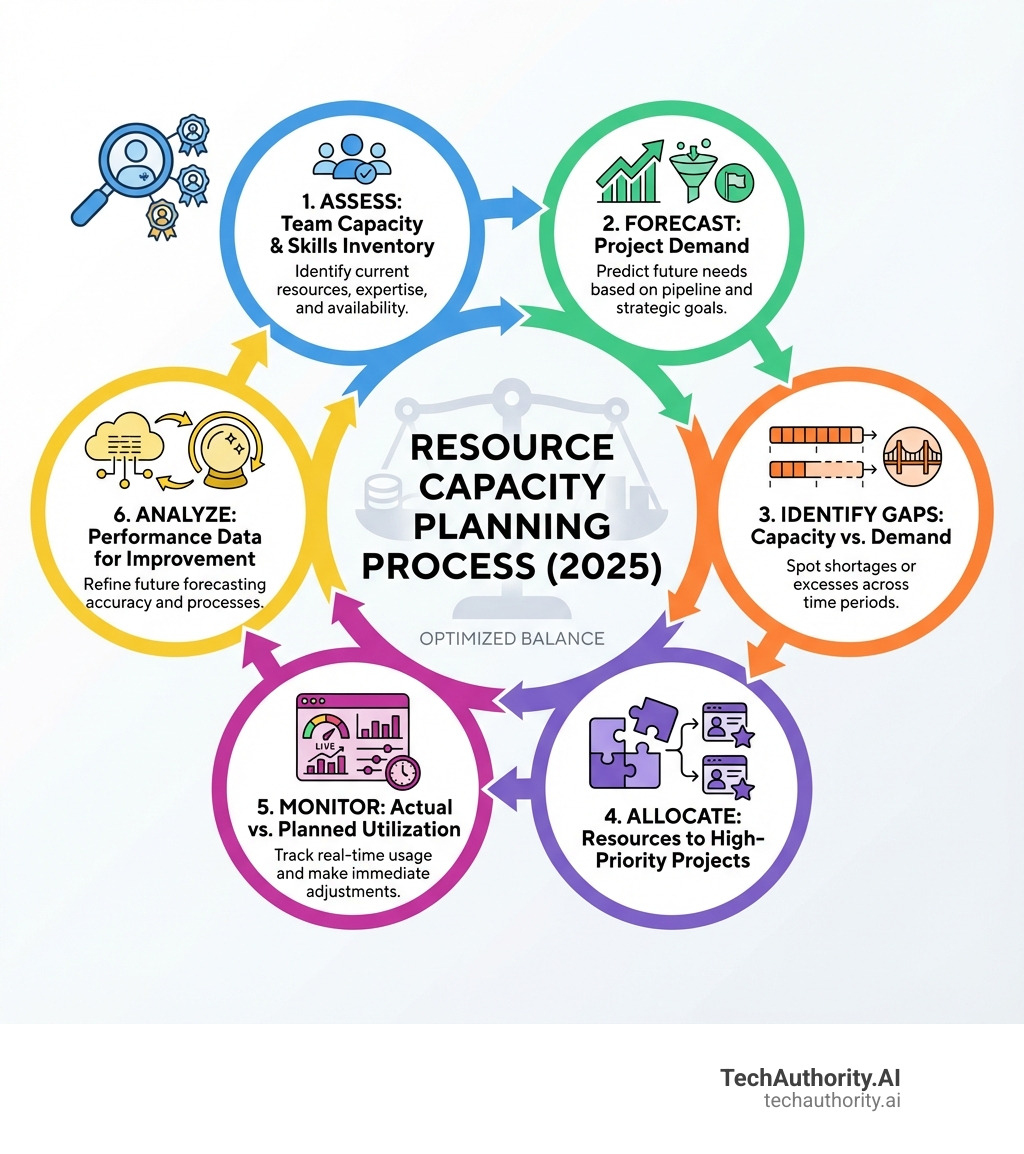
The Core Benefits: Why Your Business Needs Capacity Planning Tools
In today's business environment, people are often the most valuable asset—and the biggest cost. As one expert put it, “90% of your costs are your people.” That makes precise talent allocation a strategic imperative. Capacity planning platforms are not just nice-to-have; they are foundational for building an efficient, sustainable business. They help you decide what types of workers you need, when you need them, and how to deploy them effectively.
Here’s how the core benefits stack up:
- Optimized Resource Use: Gain clear insights into who’s working on what and when. Eliminate bottlenecks, reduce bench time, and lift productive utilization by 10-20%.
- Meeting Project Deadlines: With reliable visibility into capacity, set realistic expectations and staff projects appropriately for consistent on-time delivery.
- Cost Efficiency: Reduce waste, avoid last-minute hiring and overtime, and cut project resource costs by 10-30%. Do more with fewer technicians while protecting margins.
- Risk Management: Spot potential shortfalls early. Forecasts and scenarios help you act before small issues grow into major delays.
- Improved Employee Satisfaction and Reduced Burnout: Balanced, realistic workloads create a healthier environment, higher engagement, and sustainable productivity.

For Project-Based Businesses
For agencies, consulting firms, and software teams, effective planning is mission-critical:
- Client-Focused Timeline Management: Engage in precise scope and timeline discussions. Assess workload accurately and adjust quickly to scope changes.
- Scalability and Flexibility: Scale up or down, add specialized skills, and adapt to evolving client needs with confidence.
- Accurate Project Bidding: See real capacity against the pipeline before you bid. Price accurately and promise realistic start dates.
- Improved Profitability: Align utilization and costs with business goals to reduce operational overhead and increase margins.
- Improved Stakeholder Communication: Use dashboards and reports for quick, visual updates that build trust and alignment.
For more insights into managing projects effectively, check out our guide on more info about project management tools.
For Employee Wellbeing
Beyond the bottom line, the human element matters. Teams do their best work when plans are clear and workloads are fair.
- Workload Balancing: Distribute tasks evenly to avoid chronic over- or underutilization.
- Preventing Over-allocation: Visual timelines and heatmaps make it easy to spot overloads and adjust proactively.
- Reducing Stress: Clear, realistic plans reduce last-minute fire drills and workplace anxiety.
- Clear Expectations: Transparency clarifies who’s doing what by when, and why it matters.
- Sustainable Productivity: Prevent burnout and maintain performance over the long term. It’s about working smarter, not just harder.
To dig deeper into creating supportive work environments, explore our more info about human resource management.
Key Features to Look for in Resource Capacity Planning Software
When evaluating tools, look for platforms that provide visibility and control, plus modern capabilities that reduce manual effort and improve outcomes.
Here's a list of essential features to consider:
- Centralized Resource Pool: A unified database of all resources (people, equipment, skills).
- Drag-and-Drop Scheduling: Intuitive interfaces for quick assignment and reassignment.
- Customizable Reports: Generate utilization, availability, and status reports custom to your needs.
- Integration Capabilities: Connect with project management, CRM, HRMS, and financial systems.
- Real-time Dashboards: Immediate insights into workload and upcoming projects.
- Forecasting and Scenario Analysis: Predict future needs and model what-if scenarios.
- Skills Management: Track and leverage your team’s skill sets.
- Time Tracking: Log hours for accurate project accounting.
- Budget Planning: Align resource costs with budgets and forecasts.
- AI and Automation: Auto-scheduling, intelligent allocation, and predictive insights.
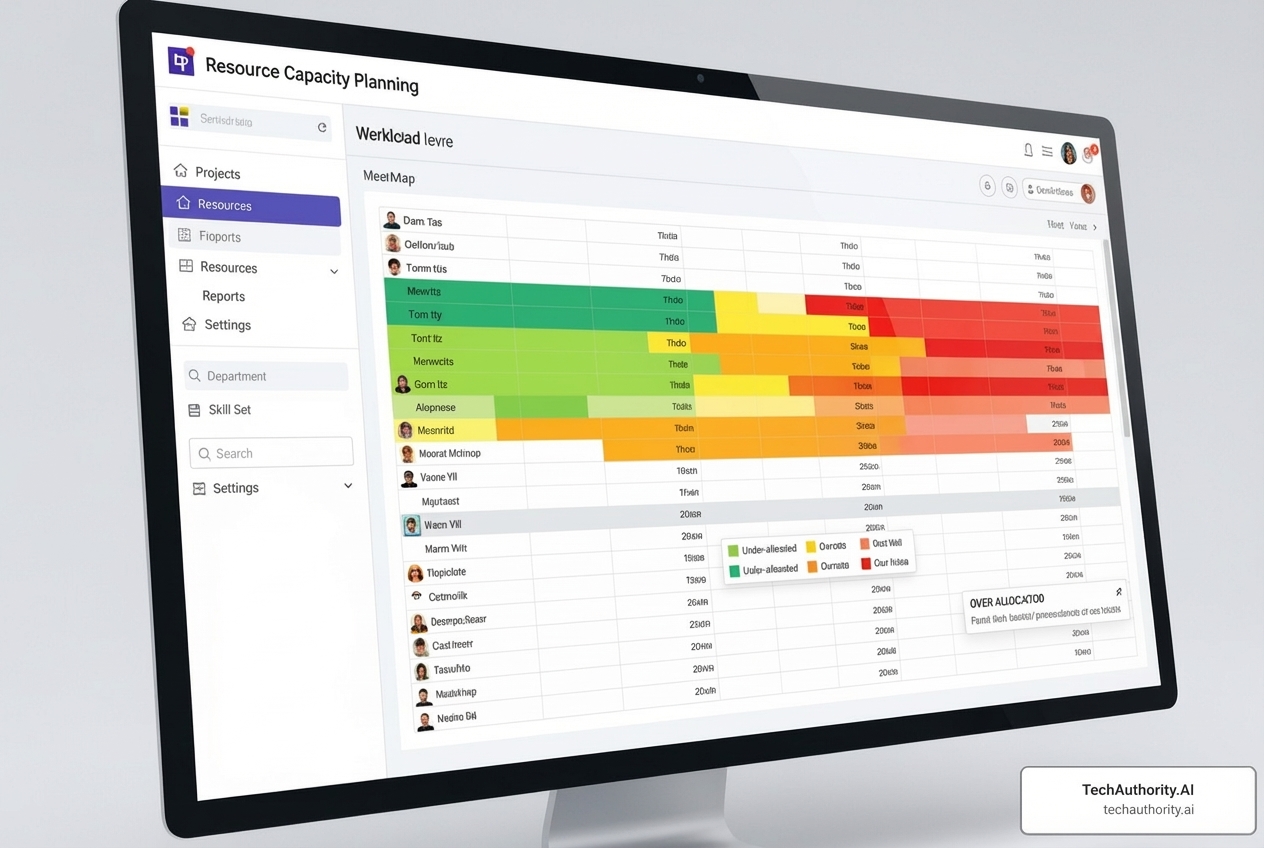
Foundational Features for Visibility and Control
The heart of effective planning is a clear, accurate picture of resources:
- Real-time Dashboards: Spot issues at a glance—who’s overbooked, who has capacity, and how projects are tracking.
- Resource Visibility: Use visual timelines to see assignments, availability, and potential conflicts, bringing planning and execution together.
- Forecasting and Scenario Analysis: Forecast demand across the enterprise, model changes, track assumptions and seasonality, and determine the optimal talent mix.
- Skills Management: Use a competency matrix to match the right person to the right task, improving outcomes and engagement.
- Time Tracking: Compare actual effort to plan to improve estimates and future allocation.
- Budget Planning: Connect resource plans to financials to control costs and avoid unnecessary hiring or overtime.
Advanced Capabilities in Modern Resource Capacity Planning Software
Today’s platforms go beyond scheduling to automate and optimize planning:
- AI and Automation: Get insights that prevent overload, adapt to change, and accelerate delivery. Automate recurring tasks and notifications.
- Intelligent Auto-scheduling: Let the system consider priorities, deadlines, dependencies, and availability to build efficient schedules.
- Predictive Analytics: Surface potential delays or gaps early by analyzing historical and real-time data.
- Real-time Data Consistency: Maintain a single source of truth so teams can make confident decisions.
- Seamless Integrations (CRM, HRMS, ERP): Sync sales pipelines, skills data, and financials for a unified view and truly connected planning.
To learn more about how different systems can work together, check out our guide on more info about CRM integration.
Implementation: Challenges and Best Practices
Rolling out new planning software can feel daunting. The benefits are clear, but success takes a thoughtful approach.
Common Challenges
- Resistance to Change: Teams may prefer familiar spreadsheets and worry about added complexity.
- Inaccurate or Incomplete Data: Poor inputs lead to poor insights. Outdated resource, project, or skills data undermines results.
- Overcomplicating Implementation: Trying to deploy every feature to every team at once can overwhelm users.
- Lack of Integration: If the tool doesn’t connect to existing systems, new silos and manual workarounds emerge.
- Insufficient Training and Support: Without guidance, adoption suffers and value is left on the table.
Overcoming Challenges and Best Practices for Success
- Map Current Workflows: Identify bottlenecks and gaps before selecting a tool so it solves real problems.
- Choose Integrated Software: Ensure it connects with project management, HR, and finance for consistent data.
- Start Small with a Phased Rollout: Pilot with one team, collect feedback, and iterate before scaling.
- Provide Comprehensive User Training: Explain the why and the how. Set clear guidelines for updates and notifications.
- Collect Accurate Data: Import clean project data, team skills, and availability. Establish data ownership and cadence.
- Set Realistic Deadlines and Expectations: Avoid over-allocation and add buffers to reduce burnout and risk.
- Review and Adjust Regularly: Compare actuals to plan and adapt as priorities shift. Treat forecasts as living guides.
- Communicate Openly: Be transparent about capacity limits and changes to build trust and alignment.
- Use Dashboards for Quick Insights: Rely on visual summaries to spot trends and act fast.
- Accept AI and Automation: Leverage intelligent scheduling and alerts to increase ROI and free time for strategy.
For a head start on your project planning, grab our download a free project planning template.
Frequently Asked Questions about Capacity Planning
We often get asked about the nuances of capacity planning and how it fits into broader operations. Here are answers to common questions.
How does resource capacity planning differ from resource management?
While related, these are distinct:
- Resource Management Definition: Day-to-day allocation and oversight of people, equipment, and materials for current work. It’s operational—who is doing what this week.
- Resource Capacity Planning Definition: Strategic and forward-looking. It determines future resource needs to meet upcoming demand, identifying gaps or surpluses months ahead.
- Strategic vs. Operational Focus: Management is about now; capacity planning is about what’s next.
- Forward-Looking vs. Current Allocation: Management assigns current tasks; capacity planning guides hiring, training, or outsourcing.
Resource management helps run current projects, while capacity planning prepares you for future ones.
What are the three major strategies for capacity planning?
- Lead Strategy: Add capacity ahead of predicted demand.
- When to use: Volatile markets, speed-to-market advantages, or high cost of lost sales.
- Lag Strategy: Increase capacity after demand rises.
- When to use: Stable demand or high cost of excess capacity.
- Match Strategy: Adjust capacity incrementally as demand trends emerge.
- When to use: Moderate variability and a need to balance responsiveness with cost control.
The best approach depends on industry dynamics, growth forecasts, and risk tolerance.
How can capacity planning tools help remote or distributed teams?
- Centralized Source of Truth: One platform for projects, tasks, and allocations keeps everyone aligned.
- Real-time Workload Visibility: See workloads and availability across time zones to prevent overloads.
- Asynchronous Collaboration: Clear plans and dependencies enable smooth work without constant live meetings.
- Tracking Across Time Zones: Advanced scheduling makes global coordination easier.
- Fair Task Distribution: Visualize and balance workloads to improve morale and prevent burnout.
Conclusion: Take Control of Your Team's Capacity
Capacity planning platforms are more than tools—they are strategic partners for thriving in a dynamic environment. From boosting utilization and cutting costs to preventing burnout and keeping projects on track, the benefits are substantial.
By replacing chaotic spreadsheets with clear, actionable insights, you empower managers, support employee wellbeing, and make confident decisions about your most valuable asset: your people. Understand the core benefits, pick the right features, and follow best practices for implementation to achieve your goals.
The right solution provides clarity, balance, and confidence—so you can focus on innovating, growing, and delivering exceptional results.
Ready to take control of your team’s capacity? We’re here to help you steer tools and strategies.
Explore more resources and tools on our site to further empower your business.