

Why WordPress Development Tools Matter for Your Success
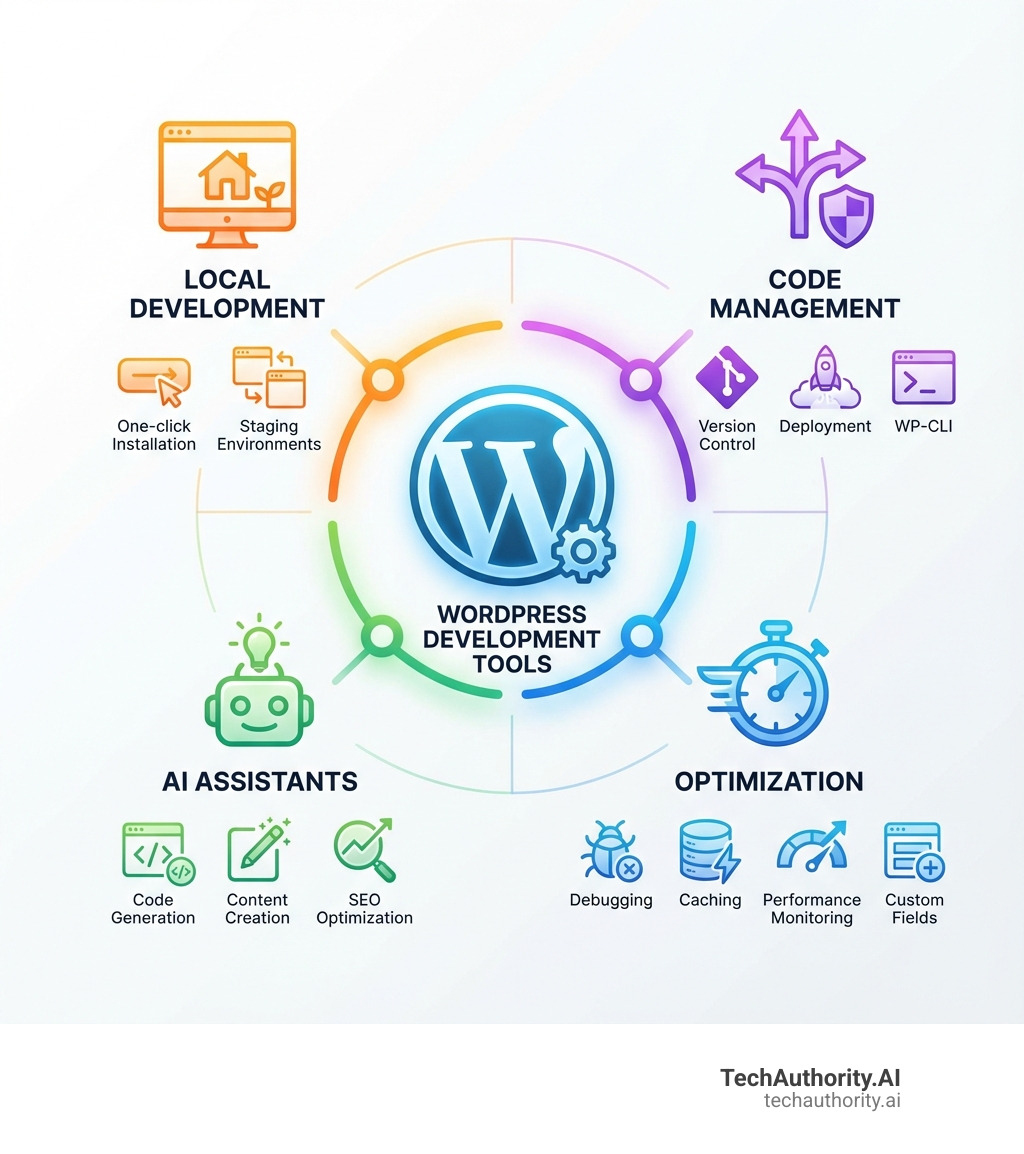
Website development tools wordpress are the essential software, plugins, and platforms that developers use to build, test, debug, and optimize WordPress sites efficiently. These tools range from local development environments and code editors to AI-powered assistants and performance optimization plugins. The right toolkit can transform a complex, time-consuming project into a streamlined workflow that saves hours and delivers better results.
Essential Categories of WordPress Development Tools:
- Local Development Environments – Test sites safely offline before going live (e.g., Local)
- Code Editors & IDEs – Write and debug PHP, JavaScript, and CSS efficiently (e.g., VS Code)
- Version Control & Deployment – Track changes, collaborate with teams, and migrate sites smoothly (e.g., GitHub, Duplicator)
- Command-Line Tools – Automate repetitive tasks and manage sites faster (e.g., WP-CLI)
- AI-Powered Assistants – Generate code, build pages, and create content with AI (e.g., GitHub Copilot, AI Engine)
- Debugging & Optimization – Identify performance issues and speed up sites (e.g., Query Monitor, WP Rocket)
- Page Builders & Custom Fields – Customize layouts and content structure without coding (e.g., SeedProd, Advanced Custom Fields)
Behind every successful WordPress site is a developer who understands that the right tools make all the difference. Whether you're building your first client site or managing dozens of projects, a solid toolkit means spending less time troubleshooting and more time creating remarkable websites.
As a team that has developed thousands of websites for entrepreneurs and agencies, we've tested countless website development tools wordpress solutions to find what truly delivers results. Here at TechAuthority.AI, we live and breathe WordPress. In this guide, we'll show you the essential tools that have transformed how we build and optimize sites—tools that can do the same for your business.
Simple guide to website development tools wordpress terms:
- WordPress Guide for Developers
- WordPress Custom Theme Development
- Best Development Environment for WordPress
Foundational Tools: Local Environments & Code Editors
What are the essential tools for local WordPress development?
Building a WordPress website, whether for a client or ourselves, always starts with a solid foundation. For us, that means setting up a local development environment. Why? Because it provides a safe, isolated space to experiment, make mistakes, and perfect our work without the terrifying risk of breaking a live site. Think of it as our personal sandbox, where creativity thrives and errors are just learning opportunities.
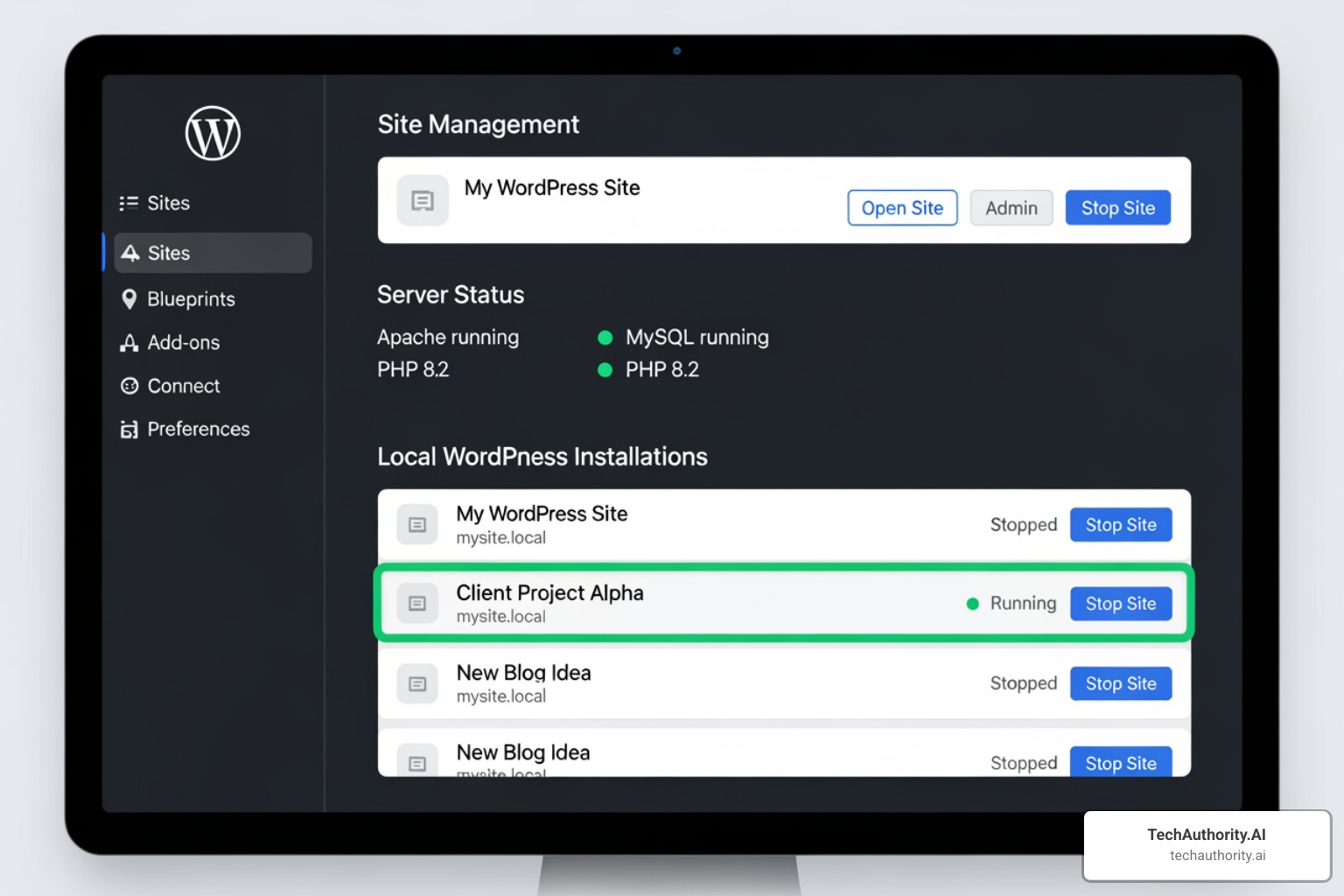
This category of website development tools wordpress is crucial for every developer. It allows us to work offline, test new features, themes, and plugins, and ensure everything functions flawlessly before it ever sees the light of day on the internet. It's where the magic truly begins.
TechAuthority.AI Local Development Solutions
We can't stress enough the importance of a robust local development setup. Our team at TechAuthority.AI relies on a powerful, user-friendly option that streamlines this process, making local WordPress development effortless.
First up, Local WP. This desktop application is completely free of charge and designed to simplify creating and managing local WordPress environments. It’s incredibly user-friendly, offering one-click WordPress installation, including SSL. For seasoned developers, Local offers advanced features like root SSH access, WP-CLI integration, and the ability to hot-swap PHP environments for easy testing. This means we can quickly switch between PHP versions to ensure compatibility or test performance, which is a huge time-saver! Local also boasts “Local Connect” for pushing and pulling sites to hosting environments for streamlined offline editing, “Live Links” to create persistent URLs for client previews, and “Cloud Backups” for securing our work to Google Drive or Dropbox. It's a comprehensive solution for local WordPress development, staging, and testing.
These tools are central to our workflow, ensuring we can build, test, and iterate rapidly. For more in-depth insights into setting up your ideal local environment, check out our guide on the Best Development Environment for WordPress.
Code Editors: TechAuthority.AI Recommendations
Once our local environment is humming along, the next crucial step is choosing the right code editor. This is where we spend countless hours crafting themes, developing plugins, and fine-tuning every aspect of a WordPress site. The right editor isn't just a text box; it's an extension of our thoughts, offering features that make coding faster, more accurate, and frankly, more enjoyable.
Our top recommendation for a free, yet incredibly powerful, code editor is Visual Studio Code (VS Code). It supports PHP, JavaScript, CSS, and offers a vast marketplace of WordPress-specific extensions. Its lightweight design, extensive customization options, and strong extension support make it a favorite among developers. We can configure it with syntax highlighting, intelligent code completion, and integrated debugging tools that understand WordPress functions, hooks, and filters. It truly transforms the coding experience.
VS Code is an excellent website development tools wordpress for working with the core languages of WordPress. It helps us write clean, efficient code, which is foundational to building high-performing websites. For those diving deep into extending WordPress functionality, our WordPress Plugin Development Complete Guide offers even more insights.
Workflow & Management: The Best website development tools wordpress
Which tools are best for managing and deploying WordPress code? What are the benefits of using command-line interfaces? Which tools facilitate collaboration and version control?
Once we've got our local environment and code editor dialed in, our focus shifts to managing the codebase itself. When projects are rarely solo endeavors and changes are constant, having robust tools for version control, deployment, and migration is non-negotiable. These website development tools wordpress ensure our projects are organized, our teams can collaborate seamlessly, and our sites can move from development to production without a hitch.
Version Control with TechAuthority.AI Solutions
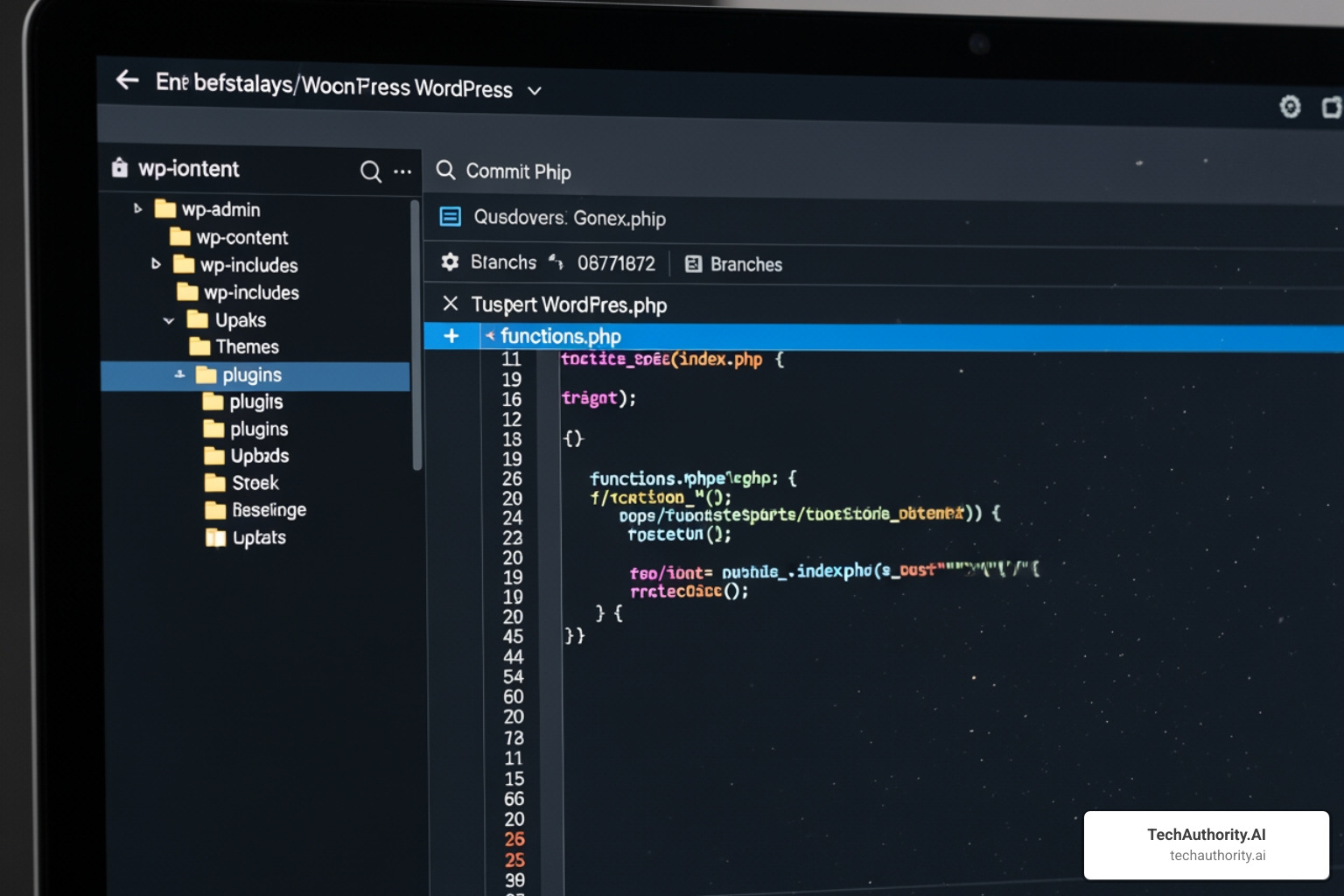
Collaboration is at the heart of many of our projects, and for that, version control is paramount. We rely heavily on GitHub to track and manage all our WordPress code changes. It’s a free and paid tool that allows us to set up repositories to track every modification, collaborate with teams, and manage WordPress code efficiently.
GitHub enables us to work on separate branches, merge changes, and review pull requests, ensuring that our code is always clean, documented, and free from conflicts. It's essential for preventing data loss and maintaining a clear history of our development process. Imagine multiple developers working on the same theme or plugin; without version control, it would be pure chaos! GitHub brings order to that chaos, making it an indispensable part of our website development tools wordpress arsenal.
For those integrating their WordPress.com sites with version control, you can learn more about how GitHub Deployments work to provide automated code deployment from repositories.
Deployment & Migration with TechAuthority.AI Tools
Moving a WordPress site from a local environment to a live server, or migrating it between hosting providers, used to be a daunting task filled with potential pitfalls. Thankfully, with the right website development tools wordpress, these processes are now streamlined and significantly less stressful.
Our go-to tool for website backups, cloning, and WordPress migrations is Duplicator. Used by over 1.5 million people, Duplicator is a fantastic plugin that allows us to package an entire WordPress site—including the database, plugins, themes, and content—into a single, easy-to-use archive. This package can then be effortlessly deployed to a new host, domain, or staging environment. Duplicator prices start from $39.60 per year, and a free version is available, which is excellent for basic needs. The Pro version offers advanced features like multisite support and scheduled cloud backups, which are crucial for our larger projects and client sites. It truly takes the headache out of what could otherwise be a very complicated process.
For a comprehensive guide on moving your WordPress site, check out our WordPress Site Migration Service Complete Guide.
Command-Line Power with TechAuthority.AI CLI Tools
Efficiency is key in development, and nothing screams efficiency quite like the command line. For WordPress, that means WP-CLI. This free-to-use command-line interface is a game-changer for site management, allowing us to perform a wide array of tasks quickly and effectively without ever touching the WordPress admin dashboard.
With WP-CLI, we can install and update plugins and themes, manage users, change settings, import and export data, and even perform database operations—all with simple commands. It's particularly powerful when managing multiple WordPress sites or automating repetitive tasks. For example, updating all plugins across several sites can be done with a single command, saving immense amounts of time compared to clicking through each site's admin panel. Local WP even offers WP-CLI integration, meaning we can run these powerful commands directly within our local development environment.
We believe that leveraging WP-CLI is a must for any serious WordPress developer looking to optimize their workflow. It's a foundational skill that opens up a new level of productivity. You can explore its full potential and learn more about WP-CLI through its official documentation.
AI-Powered Development: The Future is Now
What are the top AI-powered tools for enhancing WordPress development workflows?
Artificial Intelligence is no longer just science fiction; it's rapidly becoming an indispensable part of our everyday development toolkit. AI excels at automating repetitive tasks, streamlining tedious workflows, and even sparking creativity. For us, integrating AI-powered website development tools wordpress means saving a ton of time and effort, allowing us to focus on the more complex and creative aspects of site building.
Top AI-powered website development tools wordpress
The landscape of AI tools for WordPress development is expanding rapidly, offering innovative solutions for coding, design, and site generation. Here are some of the standout tools that have made a significant impact on our workflows:
-
GitHub Copilot: This AI-powered coding assistant acts like our virtual pair programmer. Starting from $10 per month (with a free trial available), Copilot offers intelligent suggestions to complete lines, functions, or even entire blocks of code. When developing WordPress themes, features, or plugins, it can save a lot of time and significantly increase productivity by generating boilerplate code or suggesting solutions based on context.
-
10Web AI Builder: This tool stands out for complete WordPress site generation. Starting from $20 per month, it allows us to create an entire website using AI, often combined with managed hosting. It's a powerful solution for quickly scaffolding new projects.
These tools are changing how we approach development, offering smart assistance that complements our expertise. For a deeper dive into this exciting area, explore our AI Tools for WordPress Developers Guide.
AI for Content & SEO
Beyond coding and design, AI is also revolutionizing how we approach content creation and search engine optimization (SEO) within WordPress. These tools help us generate compelling content, optimize it for search engines, and manage our content workflows with unprecedented efficiency.
-
AI Engine: This multi-model WordPress content toolkit, starting from $59 per year, is incredibly versatile. It can assist with content creation, act as a chatbot, and even serve as a workflow management solution. It's an excellent multi-faceted tool that works with various AI providers, giving us flexibility in our content strategy.
-
ContentBot.ai: When it comes to managing and automating content workflows, ContentBot.ai, at $29 per month, is a powerful ally. It offers blog writing tools and an assistant for building content flows, especially useful for bulk content generation and multi-language sites. It even integrates with WordPress via a dedicated plugin.
-
Rank Math Content AI: For SEO-optimized content creation, Rank Math Content AI, starting from $72 per year, is exceptional. It helps us write content using around 40 different tools and over 125 prompts, generating blog post ideas, titles, and even research drafts directly within WordPress. It ensures our content is not only engaging but also highly visible in search results.
-
WPForms AI: This novel tool, included in the premium WPForms plugin (starting from $399 per year), allows us to create forms using natural language prompts. We can simply describe the form we need, and WPForms AI will generate it, including design, calculations, and logic. It's a fantastic example of AI simplifying specific development tasks.
These AI-powered website development tools wordpress are critical for enhancing our digital marketing efforts and ensuring the content we create is both high-quality and strategically optimized. To learn more about how we leverage AI for online visibility, visit our WordPress SEO Strategies section.
Optimization, Debugging & Customization
How can developers effectively debug and optimize WordPress sites? What are the best tools for customizing content? How do page builders fit in? How do tools improve security and performance?
Building a beautiful and functional WordPress site is only half the battle. The other half involves ensuring it performs flawlessly, remains secure, and can be easily customized to meet evolving needs. This section of our website development tools wordpress toolkit focuses on the specialized instruments that help us achieve these critical goals.
Debugging and Optimization: Key website development tools wordpress
A slow or buggy website is a quick way to lose visitors and clients. That's why effective debugging and optimization tools are absolutely essential. They help us identify performance bottlenecks, squash bugs, and keep our sites running at peak efficiency.
-
Query Monitor: When a site feels sluggish, Query Monitor is an essential rescue tool. This free, powerful debugger monitors server requests to reveal hidden issues like slow database queries, inefficient PHP, or resource-heavy scripts. It helps pinpoint exactly what's slowing things down, acting like X-ray vision for your site's performance.
-
Transients Manager: WordPress uses transients for temporary data caching to improve speed. Sometimes, these can become outdated and hurt performance. The free Transients Manager tool lets you view, search, edit, and delete transients easily, which can free up resources and make sites load faster.
-
WP Rocket: For comprehensive speed optimization, we highly recommend WP Rocket, a paid solution starting at $59 per year. It provides page caching, file minification, lazy image loading, and database optimization to make WordPress sites load incredibly fast. It's a user-friendly, all-in-one performance-boosting solution.
-
Theme Check and Plugin Check: These free WordPress plugins are our personal quality assurance inspectors. Theme Check analyzes a theme's code for quality and compliance with WordPress standards, which is vital for developers. Plugin Check, from the official WordPress team, helps ensure the plugins we use are safe and won't harm our sites. They are crucial for maintaining code integrity and security.
-
Search & Replace Everything by WPCode: This handy plugin, with plans from $49 per year (and a free version), lets us search and replace text across the entire WordPress database. It's a real time-saver for tasks like changing a domain name or updating links after a site migration.
These website development tools wordpress allow us to deliver high-performing, secure websites. To understand more about how we tackle complex issues, read our insights on How AI Debugging Tools Are Reshaping WordPress Development. For general performance improvements, our guide on how to Improve WordPress Loading Speed is invaluable.
Customization: Page Builders & Custom Fields
WordPress's flexibility is one of its greatest strengths, and customization tools are what open up its full potential. Whether we're building bespoke designs or empowering clients with easy content management, these website development tools wordpress are indispensable.
-
Page Builders (e.g., SeedProd): Page builders have revolutionized how we design and customize WordPress sites. Tools like SeedProd, starting from $31.60 per year (with a free plugin version available), offer powerful drag-and-drop interfaces to create stunning pages and landing pages without writing a single line of code. We find SeedProd to strike a great balance between user-friendliness and robust features. These builders empower us to craft unique layouts and designs, and often empower our clients to manage their content visually.
-
Advanced Custom Fields (ACF): For adding custom fields to posts, pages, and custom post types, ACF is a developer's best friend. Available in free and paid versions (Pro starts at $49 per year), ACF allows us to extend content flexibility without coding directly into theme files. For example, for a real estate website, we can use ACF to add specific fields for property details like square footage, price, and location. For portfolio sites, it helps create structured project layouts with fields for client names, project dates, and links. It gives us precise control over content structure and ensures data consistency.
-
Formidable Forms: Beyond basic contact forms, Formidable Forms, starting from $39.50 per year (with a free plugin version), is considered one of the most advanced and user-friendly form builders for WordPress. It allows us to create complex forms with conditional logic, calculations, and even payment integrations. Whether it's a registration form, a detailed survey, or a multi-step calculator, Formidable Forms makes it possible.
These tools allow us to create highly customized, functional, and user-friendly WordPress sites. To explore more about visual site building, check out our insights on the Best WordPress Page Builders. For those who prefer to craft every detail from scratch, our WordPress Custom Theme Development guide is an excellent resource.
Frequently Asked Questions about WordPress Development Tools
What are the benefits of using a local WordPress development environment?
A local environment provides a safe, offline space to build and test websites without affecting a live site. It speeds up development, allows for risk-free experimentation with themes and plugins, and helps you catch errors before going public. This ensures a smoother launch and is invaluable for professional development.
How do I choose between free and paid development tools?
Consider your budget, project requirements, and need for support. Free tools are often powerful enough for many tasks, especially smaller projects. Paid tools typically offer advanced features, dedicated support, and streamlined workflows that save significant time on complex projects. The investment often pays off in efficiency and reliability, so weigh the cost against the time saved and features gained.
Which tools are essential for improving website performance?
Improving performance requires a few key tools. Start with a debugging tool like Query Monitor to find bottlenecks like slow database queries. Then, use a comprehensive optimization plugin like WP Rocket for page caching, file minification, and lazy loading. Finally, always optimize your images, as they are a common cause of slow load times. This combination creates a fast, responsive website.
Conclusion
Choosing the right website development tools wordpress is not just about having a collection of software; it's about strategically empowering ourselves to build better, faster, and more robust websites. From the foundational local development environments and precise code editors to the groundbreaking AI-powered assistants that streamline everything from coding to content creation, each tool plays a vital role in our success.
At TechAuthority.AI, we understand that mastering these tools is key to streamlining workflows and enhancing productivity. By leveraging the right solutions for version control, deployment, debugging, and customization, we can consistently deliver awesome websites that meet and exceed client expectations. We encourage you to explore these tools, integrate them into your workflow, and find how they can transform your development process.
Ready to dive deeper and refine your WordPress development skills? Explore more expert guides in our WordPress Development category.