

From Chaos to Clarity: The Power of Resource Management
Resource management software helps you plan, allocate, and track resources like people, equipment, and budgets across projects. These tools provide real-time visibility into availability, automate scheduling, prevent bottlenecks, and improve profitability—replacing error-prone spreadsheets with centralized platforms designed for efficiency.
Top benefits of resource management software:
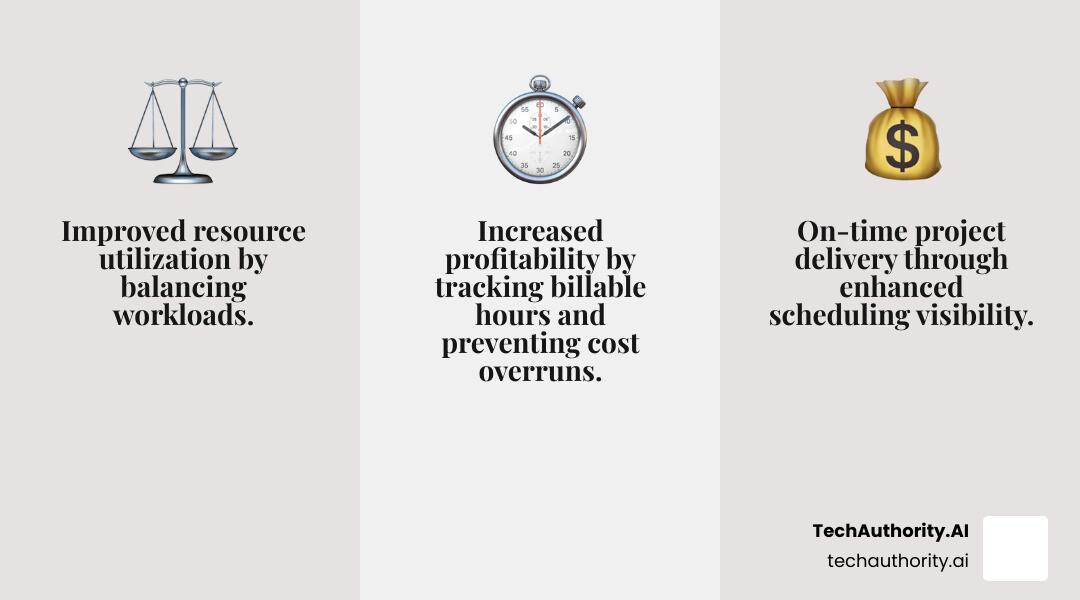
- Improved resource utilization – Optimize team capacity and prevent over-allocation
- On-time project delivery – Identify conflicts early and adjust schedules proactively
- Better financial planning – Track costs, forecast budgets, and maximize billable hours
- Improved team collaboration – Centralize communication and keep everyone aligned
- Data-driven decisions – Access real-time reports and analytics for smarter planning
Running a WordPress agency or freelance business means juggling multiple client projects, tight deadlines, and shifting priorities. Without clear visibility into who's working on what—and when—it's easy for things to slip through the cracks. Manual spreadsheets and disconnected tools create chaos, leading to missed deadlines, overworked team members, and unhappy clients.
Resource management software replaces that chaos with clarity. Instead of guessing who has capacity or scrambling to rebalance workloads, you get a centralized view of your team's availability, project timelines, and utilization rates. These platforms automate repetitive tasks like scheduling and workload balancing, freeing you to focus on delivering great work and growing your business.
The numbers speak for themselves. Agencies using these tools report significant improvements, such as reducing project delays by 40%, improving utilization rates by 20%, and eliminating unplanned overtime. When you can see exactly where your resources are allocated—and where gaps exist—you make smarter decisions about hiring, pricing, and project scope.
Modern resource management platforms go beyond simple scheduling. They offer features like capacity forecasting, financial tracking, skills-based assignment, and cross-project visibility. Whether you're managing a two-person team or coordinating dozens of contractors, the right tool helps you prevent burnout, hit deadlines, and protect your margins.
The shift from manual methods to automated resource planning isn't just about efficiency—it's a strategic advantage. When your resource data is accurate and accessible, you can quote projects with confidence, spot profitability issues early, and scale your operations without sacrificing quality.
I'm Randy Speckman, founder of Randy Speckman Design, where I've worked with over 500 entrepreneurs and designed thousands of websites. Throughout my career, resource management software has been essential for coordinating client projects, managing team capacity, and delivering consistent results across multiple campaigns. This guide will help you find the right tool to bring order to your workflow and boost your agency's profitability.
What is Resource Management Software and Why is it Crucial?
At its heart, resource management software is a specialized tool designed to help businesses efficiently plan, allocate, and track all the “resources” needed to complete projects and run operations. But what exactly do we mean by “resources”? In project management, resources aren't just people. They encompass a broader spectrum, including:
- People: Your team members, their skills, availability, and roles. This is often the most critical resource for agencies and service-based businesses.
- Equipment: Physical assets like computers, specialized software licenses, machinery, or even meeting rooms.
- Budget/Money: The financial capital allocated to projects, including salaries, operational costs, and client billing.
- Time: The most precious resource, measured in hours, days, or project timelines.
So, why is this so important for businesses like yours? Imagine trying to build a complex website or run a digital marketing campaign without knowing who's available, if you have the right tools, or how much budget you have left. It's like trying to steer a maze blindfolded. Resource management software provides the map and the flashlight.
Its importance for businesses cannot be overstated. It helps us avoid costly overruns, improve project delivery timelines, and, crucially, prevent team burnout. By giving us a clear overview of our assets and their deployment, we can make informed decisions that drive efficiency and profitability. For a deeper dive into how we manage our assets, explore our Resource Allocation Software by TechAuthority.AI.
If you want a neutral, high-level overview of how this fits into broader project management practices, you can also review the general concept of Project management.
The Problem with Manual Methods
Before the advent of sophisticated resource management software, many businesses relied on manual methods—primarily spreadsheets and paper files. While these might seem quaint or even nostalgic, they come with a host of problems that can quickly derail even the most carefully planned projects.
Think about it: a spreadsheet, while versatile, is inherently limited. It's prone to manual data entry errors, which can cascade into inaccurate reports and poor decision-making. There's a severe lack of real-time data; once a spreadsheet is saved, it's already outdated. This leads to communication silos, where different team members might be working with different versions of a plan, causing confusion and rework. We've all experienced the frustration of trying to track down the “latest” version of a project plan!
This inefficiency doesn't just impact project timelines; it wastes valuable time that could be spent on creative work or client engagement. Inefficient scheduling born from these manual methods often means overbooking some team members while others are underused. It's a recipe for stress, missed deadlines, and ultimately, unhappy clients.
The Strategic Advantage of Automation
Moving from those error-prone manual methods to automated resource management software offers a significant strategic advantage. It transforms how we operate, enabling us to make data-driven decisions. Instead of relying on gut feelings or outdated information, we gain real-time insights into our team's capacity, project progress, and financial health.
This clarity directly translates to increased profitability. When we can accurately forecast resource needs and optimize allocation, we reduce waste and maximize our billable hours. It also contributes to improved team morale. No more frantic last-minute reassignments or constant questions about who's doing what. Everyone has a clear understanding of their workload and priorities, leading to a more balanced and productive environment. This is especially true when we consider how these tools can help IT departments track equipment and plan work orders, or HR manage payroll and benefits, freeing up their time for more strategic tasks.
Automation fosters scalable growth. We can take on more projects with confidence, knowing we have the tools to manage our expanding team and client base effectively. It allows for proactive problem-solving, identifying potential bottlenecks or over-allocations before they become critical issues. It's about working smarter, not just harder, and building a resilient, efficient business.
Core Features That Make a Difference
At the heart of any effective resource management software lies a suite of core features designed to simplify complex tasks and provide unparalleled clarity. These aren't just nice-to-haves; they are essential functionalities that empower us to manage our projects and teams with precision. Imagine a centralized platform where every piece of information we need is just a click away—that's the promise of these tools.

Centralized Dashboards and Scheduling
One of the immediate benefits we experience with resource management software is a centralized dashboard that provides an instant overview of our operations. This often includes visual heat maps, which are fantastic for quickly identifying who's overbooked and who has available capacity. No more squinting at spreadsheets trying to figure out workloads!
Gantt charts are another cornerstone, offering a visual timeline of projects, tasks, and resource assignments. We can easily see dependencies, track progress, and adjust schedules with intuitive drag-and-drop functionality. This allows for effortless rescheduling of projects and clear visibility into project items. Plus, with real-time updates, everyone is always on the same page. Imagine being able to set reminders or notifications directly from your scheduling tool, drastically reducing the need for constant check-ins. For those looking to streamline their project setup, our Project Planning Template Free from TechAuthority.AI can be a great starting point.
Capacity Planning and Utilization Tracking
This is where resource management software truly shines in optimizing our team's potential. Capacity planning involves understanding how much work our team can realistically handle, while utilization tracking measures how effectively our resources are being used.
These tools provide sophisticated utilization calculations, helping us identify bottlenecks before they slow down a project. We can balance workloads more effectively, ensuring that no one is overwhelmed while others sit idle. The software also aids in skills matching, allowing us to assign the right person with the right expertise to the right task, optimizing task utilization. This proactive approach to resource allocation is crucial for efficiency. Did you know that for people, a utilization of 70% is generally recommended to prevent burnout, while for equipment, it can be as high as 90-100%? For more on maximizing your team's potential, check out our Resource Capacity Planning Software by TechAuthority.AI.
Reporting, Forecasting, and Financials
Resource management software isn't just about managing the present; it's about intelligently planning for the future and understanding our financial health. These platforms offer powerful customizable reports that turn raw data into actionable insights. We can track project progress, resource allocation, and team performance with ease.
Effective demand forecasting helps us anticipate future resource needs, ensuring we have the right talent and tools available for upcoming projects. This is vital for making smart hiring decisions and avoiding last-minute scrambling. Crucially, the software supports robust budget tracking and cost control, allowing us to monitor expenses against our project budgets in real-time. This financial oversight leads to better profitability analysis, helping us understand which projects are most lucrative and where we might be overspending. Many tools even offer the ability to generate automatic reports, saving us precious administrative time.
By linking every hour and booking to actual revenue, costs, and margins, we gain full business context for capacity planning. This means we can forecast budgets, track expenses, and align costs with project goals, ensuring our financial planning and cost control are always on point.
Collaboration and Integrations
In today's interconnected work environment, effective collaboration and seamless integration with existing tools are non-negotiable. Resource management software acts as a central hub for team communication, allowing us to share updates, discuss tasks, and resolve issues within the context of the project. Features like shared calendars ensure everyone is aware of deadlines, meetings, and team availability.
The ability to integrate with our current tech stack is paramount. Whether it's our CRM, project management tools, or communication platforms, robust API integration ensures a seamless workflow. This means data flows freely between systems, reducing manual data entry and ensuring consistency. Reliability, usability, and ease of integration are the top three requirements project managers look for when shopping for software, and we wholeheartedly agree! These integrations contribute significantly to improved team collaboration and communication, ensuring that remote teams, in particular, stay aligned and productive. For managing client relationships alongside your resources, our Client Management by TechAuthority.AI solutions can provide additional support.
Types of Tools and Who They're For
Just like there's no single perfect wrench for every job, there's no one-size-fits-all resource management software. The best tool for us depends heavily on our business size, complexity, and specific needs. What works for a solo freelancer might be entirely inadequate for a large enterprise managing multiple global projects. The key is to match the software to our business needs and consider its scalability as we grow.

For Small Teams & Startups
If we're a small team or a budding startup, our needs for resource management software are likely centered on simplicity and core scheduling features. We need a tool that's easy to set up, has a low learning curve, and won't break the bank. The focus here is on getting a clearer picture of who's doing what, tracking basic availability, and ensuring tasks are assigned efficiently without overcomplicating things.
Many affordable options offer intuitive drag-and-drop interfaces and visual timelines that make planning straightforward. They might not have all the bells and whistles of enterprise solutions, but they provide essential visibility to prevent bottlenecks and ensure everyone is working productively. Think of it as getting the fundamental tools in our toolkit. For entrepreneurs looking to optimize every aspect of their business, our Entrepreneur Tools by TechAuthority.AI offer valuable insights.
For Agencies & Professional Services
Agencies and professional services firms have unique requirements. Our work is often project-based, heavily reliant on billable hours, and our clients expect transparency and efficient delivery. For us, resource management software must excel at tracking billable hours, managing client projects, and providing robust profitability reporting.
These tools help us assign the right talent to client projects based on skills and availability, ensuring we meet deadlines and stay within budget. Features like capacity forecasting for future projects, detailed time tracking, and the ability to compare planned vs. actual hours are crucial for maintaining healthy margins. They help us create more accurate schedules and optimize utilization rates, which is vital for our bottom line. For specialized solutions in this area, our Marketing Resource Management Software by TechAuthority.AI can be particularly useful.
For Large Enterprises
For large enterprises, the demands on resource management software are significantly more complex. We're often dealing with multiple departments, numerous projects, and a vast pool of human and non-human resources. Here, the software needs to support sophisticated portfolio management (PPM), allowing us to oversee and prioritize an entire suite of projects based on strategic goals.
Advanced security features and granular, role-based access are critical to ensure data integrity and compliance. This means having custom user rights so that only authorized personnel can view or modify specific resource data. In-depth analytics and reporting capabilities are essential for strategic decision-making, helping us analyze resource trends, forecast long-term needs, and optimize resource deployment across the entire organization. These tools are designed to handle scale, complexity, and the need for comprehensive oversight.
How to Choose the Right Tool for Your Business
Selecting the right resource management software is a crucial decision that can significantly impact our operational efficiency and profitability. It's not just about picking the tool with the most features; it's about finding a long-term fit that aligns with our specific business needs, budget, and growth trajectory. We need to make an informed choice that will serve us well into the future.
Key Considerations for Your First resource management software
When we start on the journey to select our first resource management software, or even upgrade from an existing one, several key considerations should guide our decision:
- Ease of Use: This is paramount. If the software is complex and difficult to learn, our team won't adopt it, and our investment will be wasted. An intuitive interface and a minimal learning curve are crucial for user adoption across all technical skill levels.
- Scalability: Will the software grow with us? As our team expands or our projects become more complex, we need a solution that can handle increasing resources, users, and data without sacrificing performance.
- Budget and Pricing Models: Resource management software comes in various pricing tiers. We need to understand the total cost of ownership, including subscription fees, potential add-ons, and scaling costs. Common models include per-user per-month pricing, while some solutions may have monthly base fees for enterprise-level features. Many providers offer free trials or free plans for a limited number of users, which can be a great way to test the waters.
- Mobile Access: In today's mobile-first world, the ability to access and manage resources from smart devices is incredibly important. The best solutions are fully functional on mobile, allowing us to stay connected and make adjustments on the go.
- Customer Support: When things go wrong, or we have questions, reliable customer support is invaluable. Look for providers with responsive support channels (chat, email, phone) and a comprehensive knowledge base.
Reliability, usability, and ease of integration are often the top three requirements project managers look for when shopping for software. This aligns perfectly with our philosophy at TechAuthority.AI. For a comprehensive guide on making smart software purchasing decisions, consult our Software Buyers Guide by TechAuthority.AI.
The Future of Management: Emerging Trends
The landscape of resource management software is constantly evolving, with exciting emerging trends shaping its future. Staying aware of these developments helps us future-proof our choices and leverage cutting-edge capabilities:
- AI and Automation: Artificial intelligence is revolutionizing how we allocate resources. AI-driven features can automate scheduling, predict staffing needs, assign resources based on skill sets and availability, and even identify optimal resource allocation with minimal human input. This reduces manual effort and improves accuracy.
- Predictive Analytics: Beyond just forecasting, predictive analytics uses historical data to anticipate future resource demands, project risks, and potential bottlenecks. This allows us to test “what-if” scenarios and make proactive adjustments, visualizing the impact of changes without disrupting active projects.
- Focus on Employee Well-being: Modern resource management software is increasingly incorporating features designed to prevent team burnout. This includes real-time workload insights, tools to track time off, and dashboards that highlight over-allocated team members, enabling us to redistribute tasks fairly and promote a healthier work-life balance.
- Sustainability Tracking: An emerging trend is the integration of sustainability and environmental tracking features. While perhaps less critical for digital agencies, some tools are starting to help businesses reduce waste and track their environmental footprint related to resource usage.
- Skill Mapping and Development: These features help us align talent with tasks based on specific skills and certifications, not just general availability. They also support professional development by identifying skill gaps and tracking team members' growth over time.
These trends highlight a shift towards more intelligent, human-centric, and data-driven resource management, allowing us to manage our resources more effectively and strategically than ever before.
Frequently Asked Questions
We know you might have some burning questions about resource management software, especially if you're new to the concept or considering an upgrade. Let's tackle some of the most common inquiries we hear.
Can I just use spreadsheets for resource management?
Ah, the classic spreadsheet question! While spreadsheets are incredibly versatile and have been the go-to for many small businesses for decades, for resource management, we strongly advise against relying solely on them. Here's why:
- Manual Data Entry & Error-Prone: Every update needs to be entered manually, which is a prime breeding ground for errors. One wrong number can throw off an entire project's resource allocation.
- Lack of Real-Time Visibility: Spreadsheets are static. Once saved, the information is already potentially outdated. You won't get real-time insights into who's available right now or how project timelines are shifting.
- Poor Collaboration: Sharing and collaborating on spreadsheets can be a nightmare. Version control issues, accidental deletions, and the inability for multiple people to work simultaneously efficiently make them unsuitable for dynamic team environments.
- Limited Functionality: Spreadsheets can't offer visual heat maps, automated notifications, complex utilization calculations, or seamless integrations with other business tools. They simply lack the dedicated features that a specialized resource management software provides.
In short, while a spreadsheet might feel like a familiar friend, it's an inefficient, slow, and error-prone tool for managing our most valuable assets. Dedicated resource management software is designed to overcome all these limitations, offering a superior, dynamic, and collaborative solution.
How does this software help prevent team burnout?
Preventing team burnout is a huge benefit of implementing resource management software, and it's something we care deeply about. Here's how these tools contribute:
- Workload Visibility: The software provides clear, visual dashboards that show each team member's current workload. We can see at a glance who is over-allocated and who has capacity.
- Capacity Planning: By understanding our team's overall capacity, we can plan projects more realistically, avoiding situations where we commit to more than we can handle.
- Identifying Over-Allocation: The tools flag when someone is assigned too many hours or tasks, allowing us to proactively redistribute work before it becomes overwhelming.
- Fair Task Distribution: With a clear view of everyone's availability and skills, we can distribute tasks more equitably, ensuring that the burden doesn't fall disproportionately on a few individuals.
- Promoting Work-Life Balance: By managing workloads effectively, we help our team maintain a healthier work-life balance, reducing stress and increasing job satisfaction.
Resource management software empowers us to track workloads, spot risks early, and make data-driven decisions to support our team's well-being, which is crucial for long-term productivity and retention.
What are the most common mistakes when implementing this software?
Even the best resource management software won't deliver its full potential if implemented incorrectly. We've seen businesses make a few common mistakes that are easily avoidable:
- Skipping Team Training: Expecting everyone to just “figure it out” is a recipe for disaster. Comprehensive training ensures our team understands how to use the software effectively, leading to better adoption and consistent data entry.
- Not Customizing Settings: Many tools are highly customizable. Failing to configure the software to match our specific workflows, terminology, and reporting needs means we're not getting the most out of our investment.
- Failing to Keep Data Updated: The software is only as good as the data we feed it. If resource availability, project statuses, or skill sets aren't regularly updated, the insights generated will be inaccurate.
- Lack of Stakeholder Buy-in: If key managers or team leads aren't on board, they might resist using the new system, undermining its effectiveness. Involving all key stakeholders from the start is crucial for successful adoption.
- Poor Data Migration: If we're transitioning from another system, a sloppy data migration can lead to lost information, inconsistencies, and a frustrating start with the new software. Planning this carefully is essential.
By being mindful of these pitfalls, we can ensure a smoother implementation and maximize the benefits of our resource management software.
Take Control of Your Resources Today
We've explored the power of resource management software, from its fundamental definition to its advanced features, and how it can transform our business operations. The journey from chaos to clarity, inefficiency to profitability, and burnout to balanced workloads is within reach.
By leveraging the right tools, we gain unparalleled visibility into our most valuable assets—our people, our time, and our budget. This clarity empowers us to make smarter decisions, optimize resource allocation, and ensure our projects are delivered on time and within budget, consistently. The strategic advantage that resource management software provides is clear: it's not just about managing tasks; it's about empowering our team, delighting our clients, and fostering sustainable growth.
Ready to streamline your operations and open up your team's full potential? We encourage you to dive deeper into efficient resource management.
Explore more resources and tools to help you build a more organized, productive, and profitable business.